# Crowd Event

{% hint style="success" %}
**COPY/PASTE PARAMETERS**

New in GM 0.11! Right click on a behaviour or component to copy. Then open an object, add the same behaviour or component, and right click it to paste identical parameter settings.
{% endhint %}

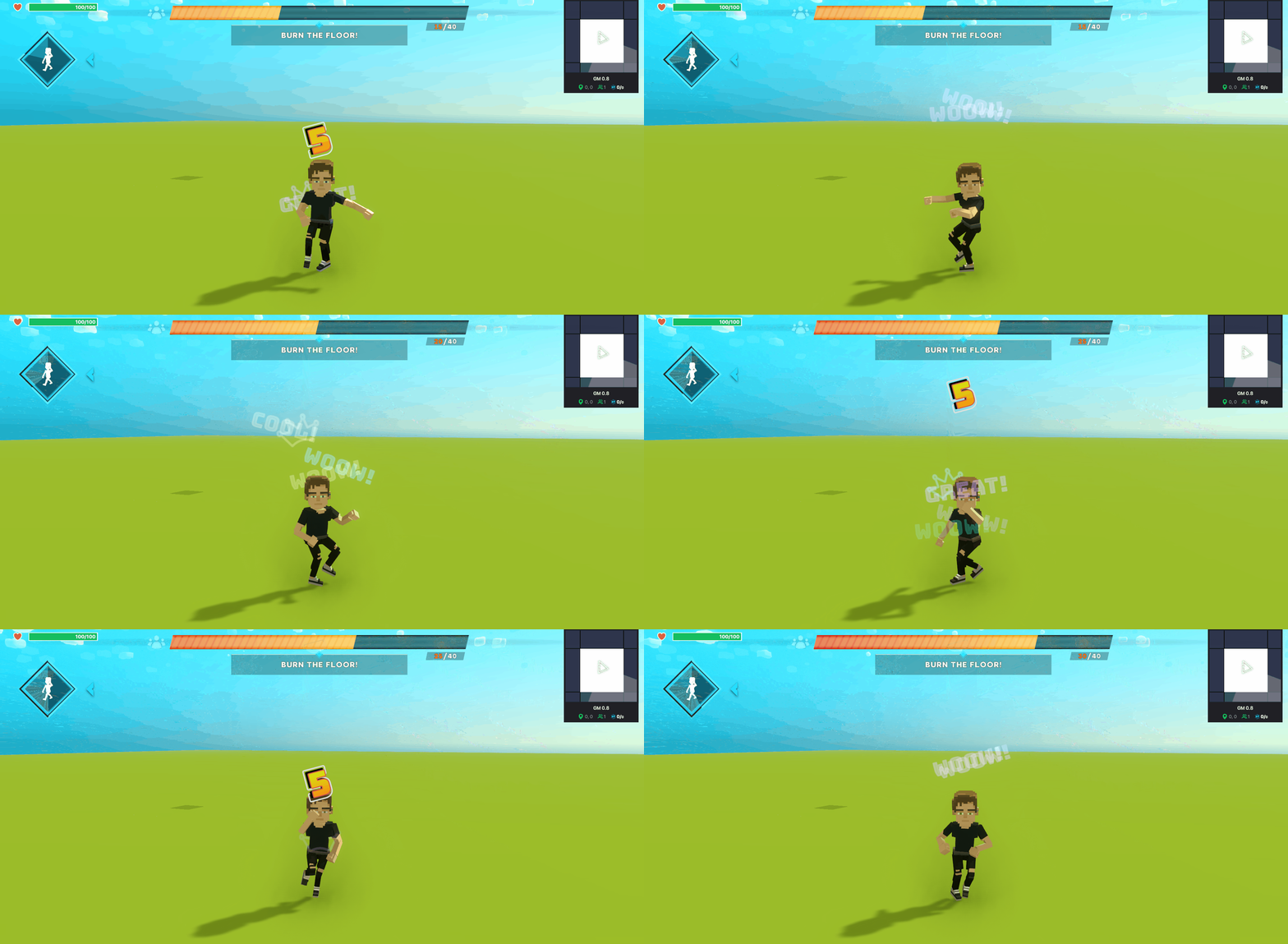
<table data-card-size="large" data-view="cards"><thead><tr><th></th><th></th><th data-hidden data-card-cover data-type="files"></th></tr></thead><tbody><tr><td><strong>Collaborative Goals</strong></td><td>Players earn points together to fill a meter within a time limit via message triggers or emotes.</td><td><a href="https://331512196-files.gitbook.io/~/files/v0/b/gitbook-x-prod.appspot.com/o/spaces%2F83PS3g9zpWmq73xzlwFn%2Fuploads%2F8mmwqvyMdWXKWgBd8j6V%2FCrowd_Event%20opt.gif?alt=media&#x26;token=2f7694fc-82af-43af-822f-be11275d1f6b">Crowd_Event opt.gif</a></td></tr></tbody></table>

{% hint style="info" %}
[build-singleplayer-and-multiplayer-logic](https://docs.sandbox.game/en/creator/game-maker/docs/build-singleplayer-and-multiplayer-logic "mention") - about <mark style="color:green;">**\[SP]**</mark> or <mark style="color:yellow;">**\[MP]**</mark> behaviours or components.
{% endhint %}

## ![](https://331512196-files.gitbook.io/~/files/v0/b/gitbook-x-prod.appspot.com/o/spaces%2F83PS3g9zpWmq73xzlwFn%2Fuploads%2FizFashbEIBUVyp77m67a%2Fimage.png?alt=media\&token=b9de7192-0ac4-4c58-8002-736a0cd50d85) Crowd Event <mark style="color:yellow;">\[MP]</mark>

* Create a **goal** with a points system to meet it and an optional time limit
* Create multiple **Elements** that run in sequence to earn **points**, with messages or emotes as **point sources** or automatic points generation
* **Reward** players with VFX
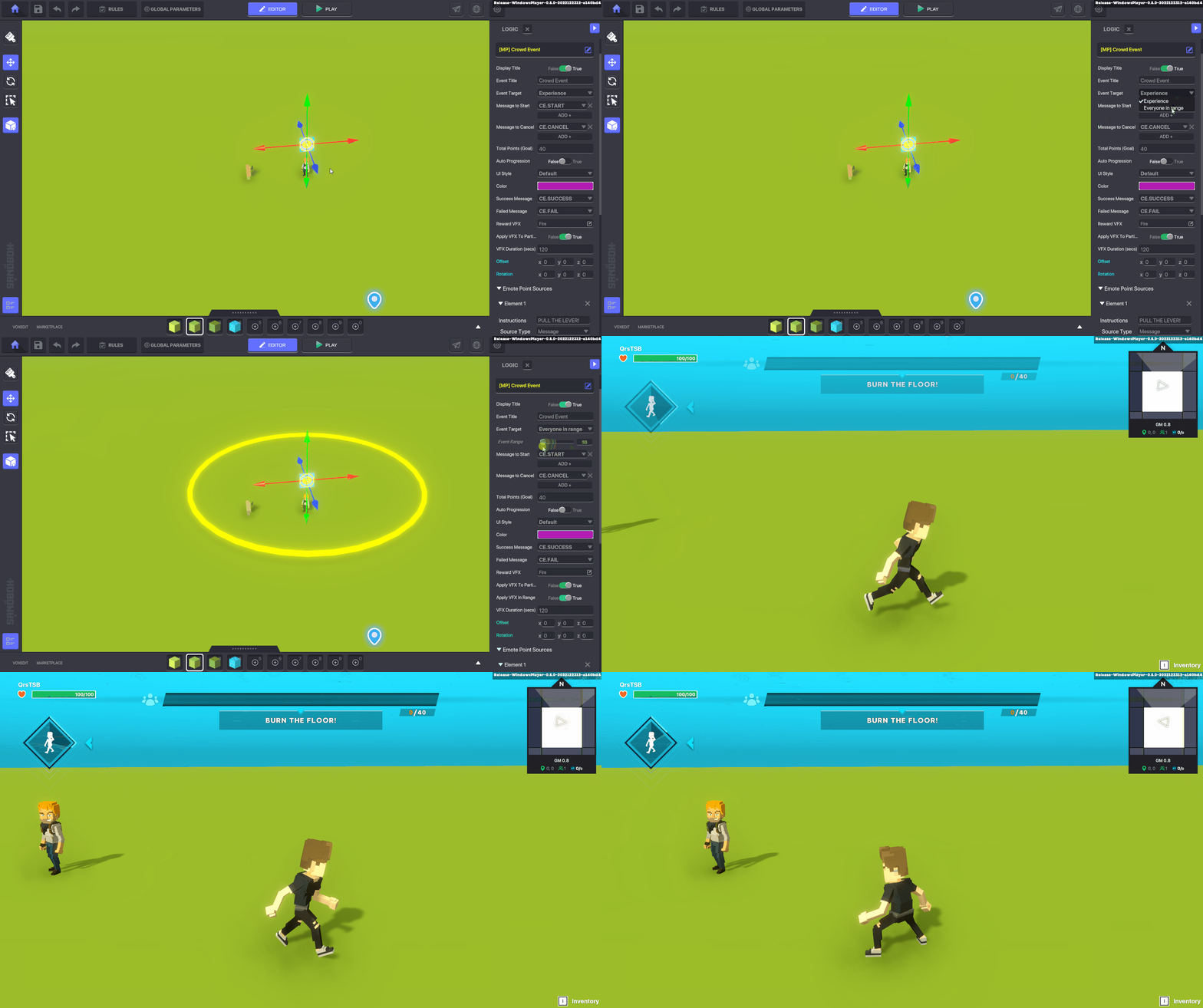
* Set the Behavior's **target** as all players in the Experience or players within range

## Common Uses

* Collect items out in the open or hidden items in a treasure hunt
* Use VFX to highlight the fastest players in a timed race who trigger points first with a one time message (e.g., turning on a platform, opening a door, etc)
* Create a capture the flag game where players choose sides and pickable items in the opponents' space are detected in your safe zone to trigger progression
* Engage players to dance in sync in a concert Experience and reward them with VFX at key moments during the performance

## Communications

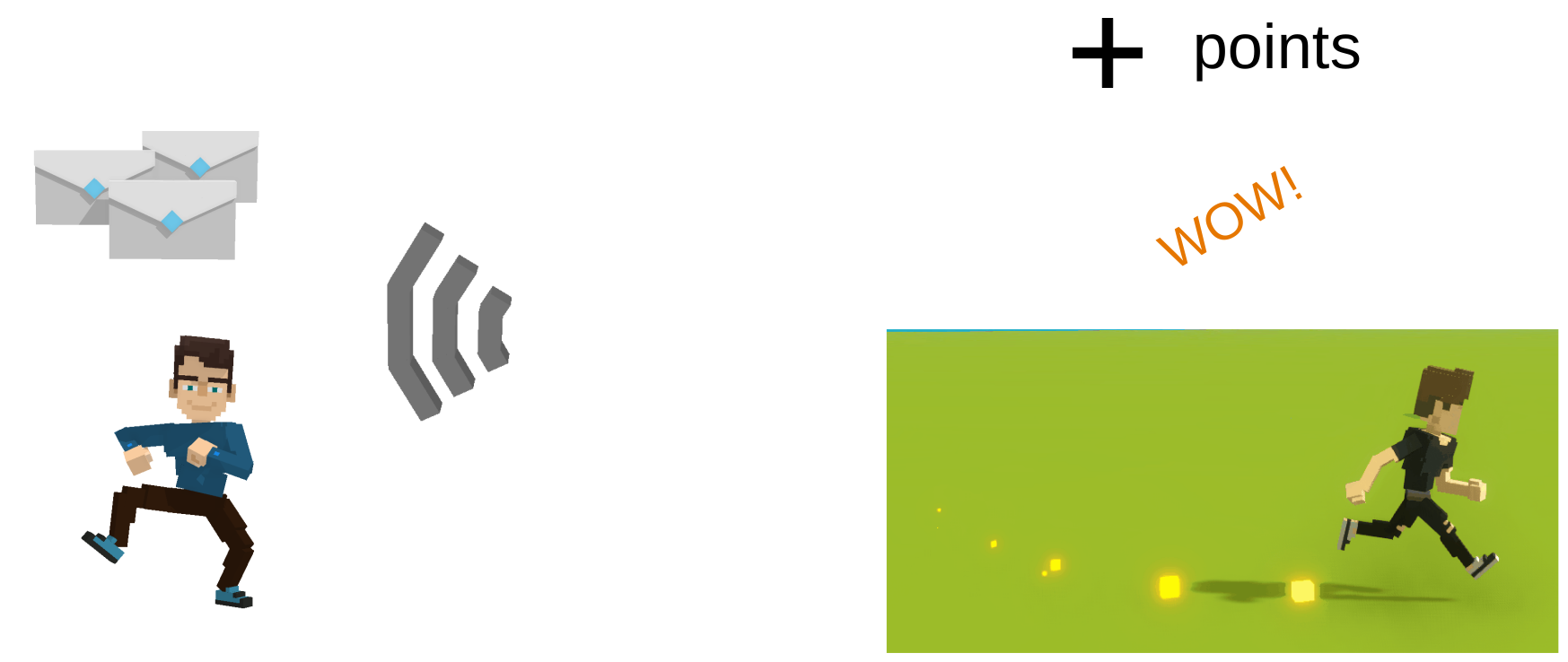
<table data-header-hidden><thead><tr><th width="326"></th><th></th></tr></thead><tbody><tr><td><p><strong>Inputs:</strong></p><p>One or more Messages per Element<br>One Emote per Element</p></td><td><p><strong>Outputs:</strong></p><p>Increased points and various user interface feedback for players, which may include VFX applied to their Avatars</p></td></tr></tbody></table>

<img src="https://content.gitbook.com/content/83PS3g9zpWmq73xzlwFn/blobs/XSSixkbFhjBsSdlmktO9/file.excalidraw.svg" alt="" class="gitbook-drawing">

## Parameters

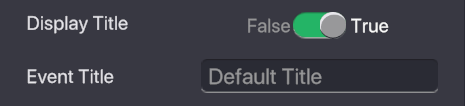
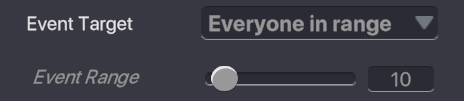
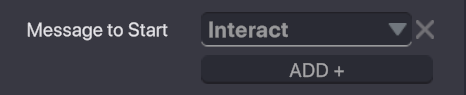
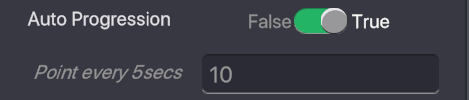
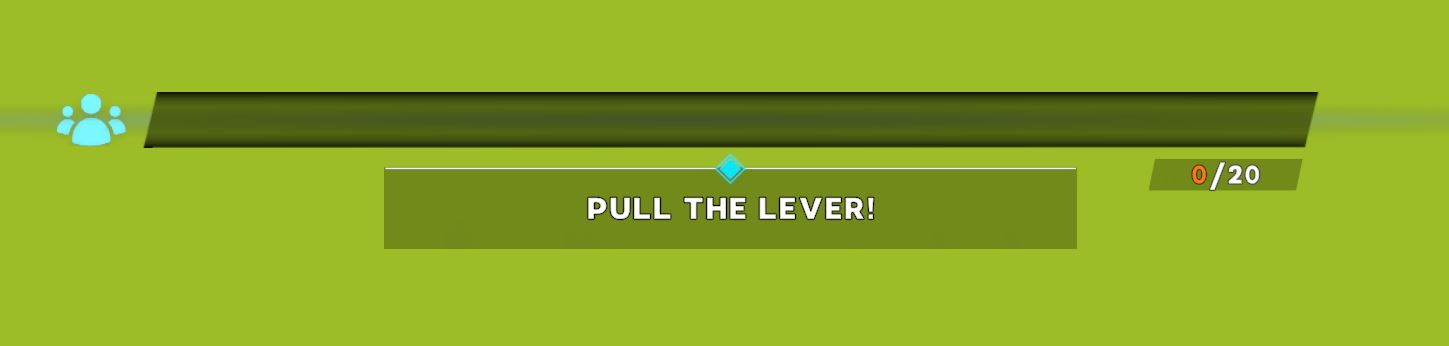
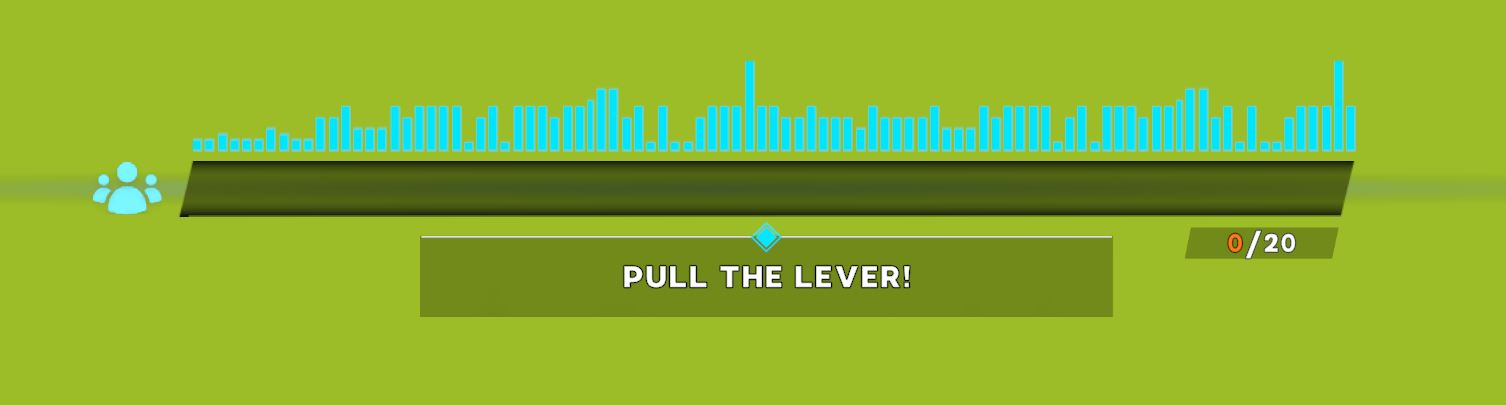
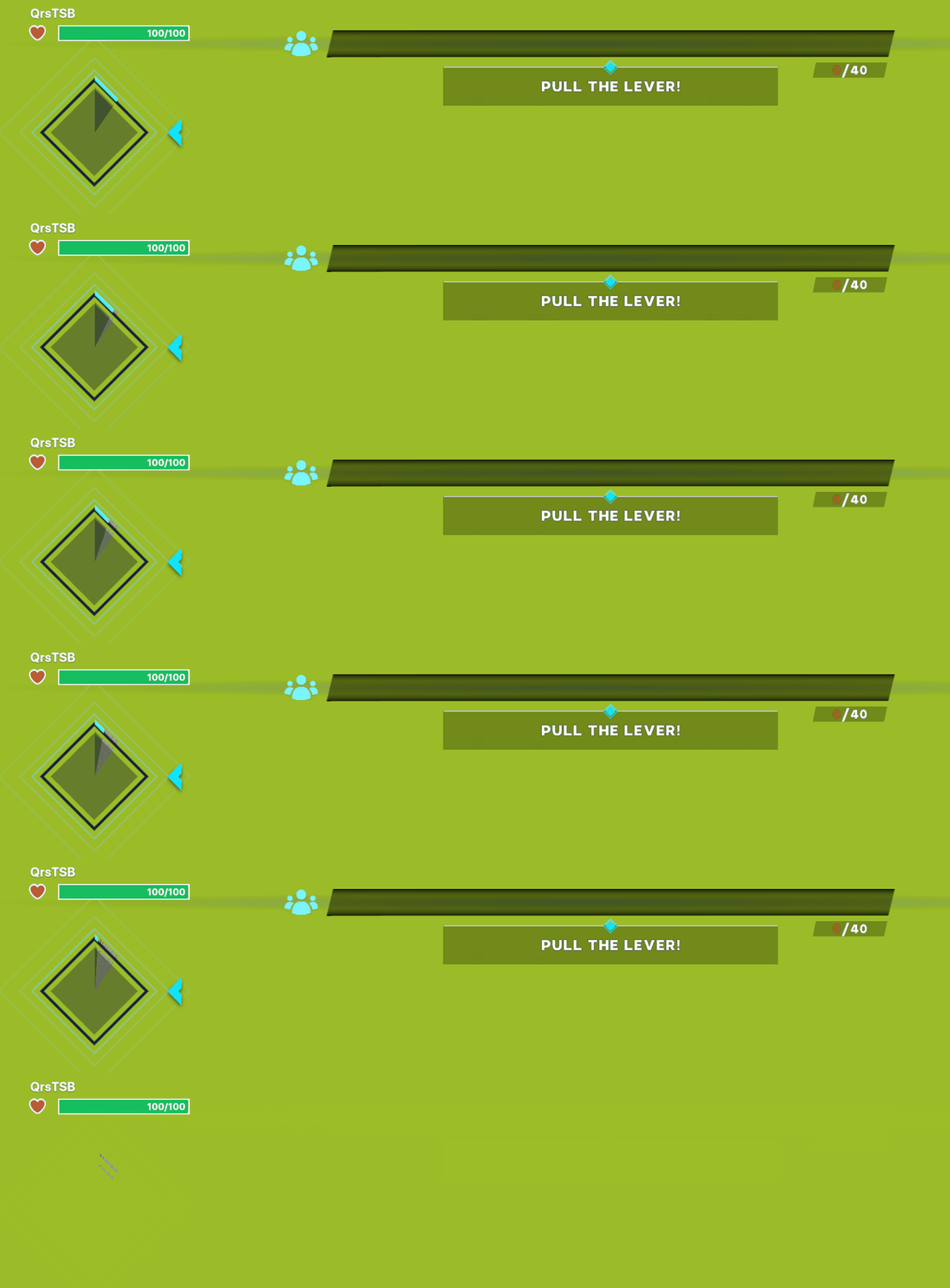
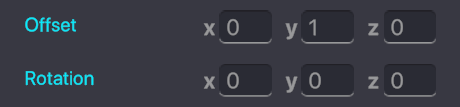
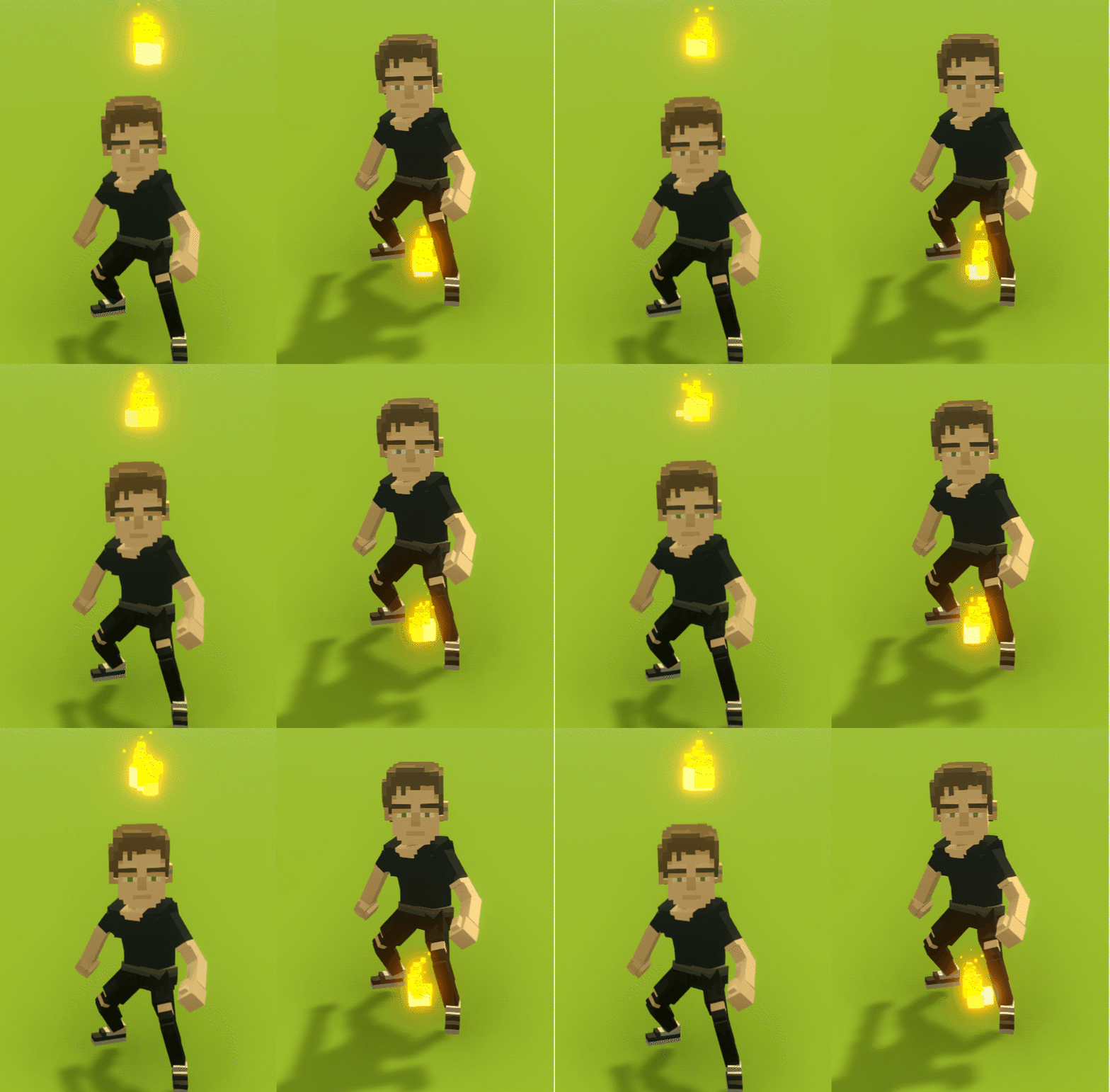
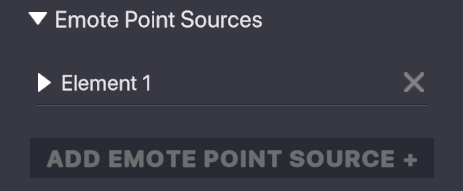
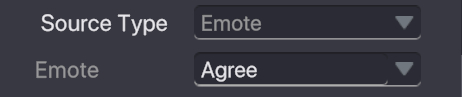
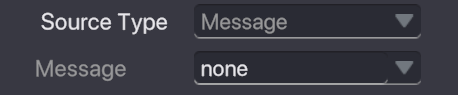
<table><thead><tr><th width="371">Options</th><th>Details</th></tr></thead><tbody><tr><td><img src="https://content.gitbook.com/content/83PS3g9zpWmq73xzlwFn/blobs/7iHPPz1wbYqn6YjTIp3W/image.png" alt=""><br><br><img src="https://content.gitbook.com/content/83PS3g9zpWmq73xzlwFn/blobs/UDyTM69gbG7PpGldx64r/image.png" alt=""><br><img src="https://content.gitbook.com/content/83PS3g9zpWmq73xzlwFn/blobs/mibWDPcsq1uJUZ4le9jL/image.png" alt=""></td><td><p><strong>Display Title</strong> - when True, display an Event Title.</p><p><br><strong>Event Title</strong> - the text to display as the title.<br><br><strong>Color</strong> - set the colour of the text by clicking on the colour bar and making a selection with the colour picker that will open.<br><br>Example:</p><p><img src="https://331512196-files.gitbook.io/~/files/v0/b/gitbook-x-prod.appspot.com/o/spaces%2F83PS3g9zpWmq73xzlwFn%2Fuploads%2FwvCpEB0LortHttdoo8CW%2Fgm%20UI%20Crowd%20Event%20start.png?alt=media&#x26;token=9056a719-b726-40ef-80d3-116b56911a45" alt=""></p></td></tr><tr><td><img src="https://content.gitbook.com/content/83PS3g9zpWmq73xzlwFn/blobs/ylfGkN6B6M6zOJPw1fYw/image.png" alt=""><br><br><img src="https://content.gitbook.com/content/83PS3g9zpWmq73xzlwFn/blobs/eQOzKpZ6vdP8nVAvEvEt/image.png" alt=""><br></td><td><p><strong>Event Target</strong> - define which players can see, contribute to, and receive rewards.</p><ul><li><strong>Experience</strong> - the Crowd Event will activate for all players in the Experience.</li><li><strong>Everyone in range</strong> </li></ul><p><strong>Event Range</strong> (slider 1-100) -  set the distance from the Crowd Event Object that players must be to contribute to the event's progress.</p><p><br>NOTE<br>Player may leave and re-enter the range and continue continue participating.<br><br>Example:<br><img src="https://content.gitbook.com/content/83PS3g9zpWmq73xzlwFn/blobs/56TEZrpimsJcPNL9WfwU/gm%20Crowd%20Event_Range.gif" alt="" data-size="original"></p></td></tr><tr><td><img src="https://content.gitbook.com/content/83PS3g9zpWmq73xzlwFn/blobs/xy6SaIDKoCdwVP0qJg2L/image.png" alt=""></td><td><strong>Message to Start</strong> - one or more Messages can trigger the Crowd Event to begin.</td></tr><tr><td><img src="https://content.gitbook.com/content/83PS3g9zpWmq73xzlwFn/blobs/Tbge3ZfsdV0rQcPKWViT/image.png" alt=""></td><td><strong>Message to Cancel</strong> - one or more Messages can trigger the Crowd Event to cancel.</td></tr><tr><td><br><img src="https://content.gitbook.com/content/83PS3g9zpWmq73xzlwFn/blobs/lpewwtk99PrGmLb9FGHo/image.png" alt=""></td><td><p><strong>Total Points (Goal)</strong> - set the total points needed to complete the Crowd Event.</p><p></p><p>NOTE</p><p>The time to reach the goal varies based on the number of players participating and the points they trigger.</p></td></tr><tr><td><img src="https://content.gitbook.com/content/83PS3g9zpWmq73xzlwFn/blobs/NdUa51t0KNoyEprV62NP/image.png" alt=""><br><br><img src="https://content.gitbook.com/content/83PS3g9zpWmq73xzlwFn/blobs/jDhnTxYMMuWAmpUSQnVj/image.png" alt=""></td><td><p><strong>Auto Progression</strong></p><ul><li><strong>False</strong> - player actions progress the event</li><li><strong>True</strong> - progress will be made every 5 seconds regardless of player actions</li></ul><p><strong>Point every 5secs</strong> - set points earned every 5 seconds on Auto Progression.</p></td></tr><tr><td><img src="https://content.gitbook.com/content/83PS3g9zpWmq73xzlwFn/blobs/0aSkqMNCRuRH1jpgrtyK/image.png" alt=""><br><br><img src="https://content.gitbook.com/content/83PS3g9zpWmq73xzlwFn/blobs/s6ZXwJwrTA37M0TufUIX/image.png" alt=""></td><td><p><strong>UI Style</strong> - choose the appearance of the Event Title graphic and the progress bar.</p><ul><li><strong>Default</strong> - add white cubes around the Event Title and use the default progress bar.</li></ul><p><img src="https://content.gitbook.com/content/83PS3g9zpWmq73xzlwFn/blobs/hqMoUobaDyOGw0DHu9DS/image.png" alt=""></p><ul><li><strong>Music</strong> - add music notes to the Event Title and a sound bar above the progress bar.</li></ul><p><img src="https://content.gitbook.com/content/83PS3g9zpWmq73xzlwFn/blobs/lHHcXq8GgLXtkzRjLDp4/image.png" alt=""></p></td></tr><tr><td><img src="https://content.gitbook.com/content/83PS3g9zpWmq73xzlwFn/blobs/EKgofudOti334kisumha/image.png" alt=""></td><td><p><strong>Success Message</strong> - set a Message to send if the <strong>Total Points (Goal)</strong> shown on the progress bar is met, meaning the the Crowd Event is 100% completed.<br><br>Example:</p><p><img src="https://content.gitbook.com/content/83PS3g9zpWmq73xzlwFn/blobs/X9WKaZUFepb5iVsAKezF/gm%20Crowd%20Event_Completed.gif" alt="" data-size="original"><br><br>NOTE<br>The user interface displayed for this parameter can not be changed.</p></td></tr><tr><td><img src="https://content.gitbook.com/content/83PS3g9zpWmq73xzlwFn/blobs/TXOkpPTZ4QfY6HGHz6Rn/image.png" alt=""></td><td><p><strong>Failed Message</strong> - set the Message to send if the <strong>Total Points (Goal)</strong> shown on the progress bar is not met before the timer on the left runs out.</p><p></p><p>Example:</p><p><img src="https://content.gitbook.com/content/83PS3g9zpWmq73xzlwFn/blobs/Bv5TiKBAISAEgxtqFvhg/gm%20Crowd%20Event_Failed.gif" alt="" data-size="original"><br><br>NOTE<br>If time runs out, the UI will fade away to indicate the Crowd Event has failed.</p></td></tr><tr><td><img src="https://content.gitbook.com/content/83PS3g9zpWmq73xzlwFn/blobs/c2rCYoZXJzUTrGjvjZYx/image.png" alt=""></td><td><p><strong>Reward VFX</strong> - set visual effect to apply to players' Avatars when the <strong>Total Points (Goal)</strong> is met.<br></p><p>Example:</p><p><img src="https://content.gitbook.com/content/83PS3g9zpWmq73xzlwFn/blobs/pIoYSIOL6iMo7aeuWKA7/gm%20Crowd%20Event_VFX%20Reward.gif" alt="" data-size="original"></p></td></tr><tr><td><img src="https://content.gitbook.com/content/83PS3g9zpWmq73xzlwFn/blobs/dglzLuGAAq4bxOLZ3Nuw/image.png" alt=""><br><br><img src="https://content.gitbook.com/content/83PS3g9zpWmq73xzlwFn/blobs/sjbIE7pt2yGIyf6jQxdK/image.png" alt=""></td><td><p><strong>Apply VFX to Participants</strong></p><ul><li><strong>False</strong> - apply the chosen VFX to all players experiencing the Crowd Event.</li><li><strong>True</strong> - apply the chosen VFX to only players who contributed to the <strong>Total Points (Goal)</strong>.</li></ul></td></tr><tr><td><img src="https://content.gitbook.com/content/83PS3g9zpWmq73xzlwFn/blobs/OPzFmfpaFc922eW8GntZ/image.png" alt=""><br><br><img src="https://content.gitbook.com/content/83PS3g9zpWmq73xzlwFn/blobs/R7OXGevRCmewaDUpJ7Or/image.png" alt=""></td><td><p><strong>Apply VFX in Range</strong></p><ul><li><strong>False</strong> - apply the chosen VFX to selected players outside of the Crowd Event range. </li><li><strong>True</strong> - apply the chosen VFX to selected players in range of the Crowd Event.</li></ul><p>NOTE<br>This parameter does not appear if the Crowd Event is applied to the whole Experience in <strong>Event Target</strong>.</p></td></tr><tr><td><img src="https://content.gitbook.com/content/83PS3g9zpWmq73xzlwFn/blobs/C2faUELOpwZ9YznYM8ts/image.png" alt=""></td><td><strong>VFX Duration (secs)</strong> - set the time in seconds that the chosen VFX will remain on the player's Avatar.</td></tr><tr><td><img src="https://content.gitbook.com/content/83PS3g9zpWmq73xzlwFn/blobs/mKUDdcOT1DGTPC6JORW5/image.png" alt=""></td><td><p><strong>Offset</strong> and <strong>Rotation</strong> - customise the position and rotation of the VFX in relation to player Avatars using <mark style="color:red;"><strong>X</strong></mark>, <mark style="color:green;"><strong>Y</strong></mark>, and <mark style="color:blue;"><strong>Z</strong></mark> coordinates.<br><br>NOTE<br>Offset of <mark style="color:red;"><strong>X</strong></mark>=0, <mark style="color:green;"><strong>Y</strong></mark>=0, and <mark style="color:blue;"><strong>Z</strong></mark>=0 will place the VFX at any Avatar's feet.<br><br>NOTE<br>Avatar heights vary. Offset of <mark style="color:red;"><strong>X</strong></mark>=0, <mark style="color:green;"><strong>Y</strong></mark>=2, and <mark style="color:blue;"><strong>Z</strong></mark>=0 will place the VFX just above a medium human Avatar's head.</p><p><br>Example:</p><p><img src="https://content.gitbook.com/content/83PS3g9zpWmq73xzlwFn/blobs/A0AsSoy7BswcQ6bIhRL0/gm%20Crowd%20Event_FIRE%20VFX_Feet+Head.gif" alt="" data-size="original"></p></td></tr><tr><td><img src="https://content.gitbook.com/content/83PS3g9zpWmq73xzlwFn/blobs/ADcVwYVMt427ICyEy5yf/image.png" alt=""></td><td><strong>Emote Point Sources</strong> - a list of Emote Elements players can trigger to earn points. Each Element has a unique set of variables.<br><img src="https://content.gitbook.com/content/83PS3g9zpWmq73xzlwFn/blobs/vQBsYrsiQ0ZL9O5Om4ry/image.png" alt=""> is a closed Emote Element<br><img src="https://content.gitbook.com/content/83PS3g9zpWmq73xzlwFn/blobs/v8RqNNvB2RlKZdGPumId/image.png" alt=""> is an expanded Emote Element<br><br>Press <img src="https://content.gitbook.com/content/83PS3g9zpWmq73xzlwFn/blobs/lJPYcESwJH3LuS1dgO1I/image.png" alt=""> to remove an Emote Element<br><br>NOTE<br>The following parameters exist within each Element added to this Behaviour.</td></tr><tr><td><img src="https://content.gitbook.com/content/83PS3g9zpWmq73xzlwFn/blobs/vjbtvxSaZHhxB8NlFQ6l/image.png" alt=""></td><td><strong>Instructions</strong> - set text that will display under the progress bar to let players know what is required at each event stage.</td></tr><tr><td><img src="https://content.gitbook.com/content/83PS3g9zpWmq73xzlwFn/blobs/81EtvRiqvIoetlZrbt08/image.png" alt=""><br><br><img src="https://content.gitbook.com/content/83PS3g9zpWmq73xzlwFn/blobs/ZL0JX2dQTwaxVPynPtZK/image.png" alt=""></td><td><p><br><br><strong>Source Type</strong> (dropdown) - </p><ul><li><strong>Emote</strong> - select from all available Emotes players can perform to earn points.</li><li><strong>Message</strong> - set a Message required to earn points, which may come from various logic sources.</li></ul></td></tr><tr><td><img src="https://content.gitbook.com/content/83PS3g9zpWmq73xzlwFn/blobs/XmClg1NgspAHBpk0dqNs/image.png" alt=""></td><td><strong>Points</strong> - set points earned and added to the progress bar.<br><br>NOTE<br>Currently, there is no customisation for the appearance of points received.<br><br>TIP<br>Set <strong>Points</strong> with the <strong>Total Points (Goal)</strong> and number of players that may participate in mind so the completion time is reasonable.</td></tr><tr><td><img src="https://content.gitbook.com/content/83PS3g9zpWmq73xzlwFn/blobs/sT81ppA00Bfoab1bKagA/image.png" alt=""></td><td><strong>Frequency</strong> - set how often points are awarded per second when the <strong>Source Type</strong> is set to Emote.<br><br>Example:<br><img src="https://content.gitbook.com/content/83PS3g9zpWmq73xzlwFn/blobs/JikkjnpY3j5U8TKOPaW4/gm%20Crowd%20Event_Points_Frequency.gif" alt="" data-size="original"></td></tr><tr><td><img src="https://content.gitbook.com/content/83PS3g9zpWmq73xzlwFn/blobs/UMMFx7Wj1wLGxjKQAfmy/image.png" alt=""></td><td><strong>Duration</strong> - set how long the Element will be active as a source of Points. This is a time limit visualised with a diamond shape to the left of the progress bar.<br><br>NOTE<br>When the Duration is over, the next Element will become active. If there no more Elements, the Crowd Event will end.<br><br>Example:<br><img src="https://content.gitbook.com/content/83PS3g9zpWmq73xzlwFn/blobs/QIB4uvW8qMOlIBRxknPD/gm%20Crowd%20Event_Points_Duration.gif" alt="" data-size="original"></td></tr><tr><td><img src="https://content.gitbook.com/content/83PS3g9zpWmq73xzlwFn/blobs/FtlORmhnNIu9AyluifCI/image.png" alt=""></td><td><p><strong>ADD EMOTE POINT SOURCE +</strong> - add another Element to the Crowd Event Behaviour with its own unique variables to trigger after the previous Element is completed or expired.<br></p><p>Elements can be stacked to create a variety of actions or objectives players perform to complete the Crowd Event.</p></td></tr></tbody></table>


---

# Agent Instructions: Querying This Documentation

If you need additional information that is not directly available in this page, you can query the documentation dynamically by asking a question.

Perform an HTTP GET request on the current page URL with the `ask` query parameter:

```
GET https://docs.sandbox.game/en/creator/game-maker/docs/behaviours/basic-logic/crowd-event.md?ask=<question>
```

The question should be specific, self-contained, and written in natural language.
The response will contain a direct answer to the question and relevant excerpts and sources from the documentation.

Use this mechanism when the answer is not explicitly present in the current page, you need clarification or additional context, or you want to retrieve related documentation sections.