> For the complete documentation index, see [llms.txt](https://docs.sandbox.game/en/llms.txt). Markdown versions of documentation pages are available by appending `.md` to page URLs; this page is available as [Markdown](https://docs.sandbox.game/en/creator/game-maker/docs/behaviours/npc-ai-pawns/farmer.md).
# Farmer
Harvesting Behaviour that appears to collect plants.
{% hint style="success" %}
**COPY/PASTE PARAMETERS**
New in GM 0.11! Right click on a behaviour or component to copy. Then open an object, add the same behaviour or component, and right click it to paste identical parameter settings.
{% endhint %}
{% hint style="info" %}
This behaviour has not yet been migrated for use in multiplayer Experiences.
{% endhint %}
##  Farmer
* Walk and gather specific assets within a defined zone - Its “gathering rate” can be changed within its parameters - Can flee once it detects an enemy nearby - Peaceful NPC that doesn’t attack any targets
## Common Uses
* "Harvesting" or "collecting" any Object using Gathering Tags (vegetables on a farm, groceries in a store, scrap metal in a wasteland, trash to recycle, etc.)
* Use cases where Objects need to be randomly removed without a destroy animation
{% hint style="warning" %}
**KNOWN ISSUE**\
Farmer behaviour only detects and removes objects placed in a location with an even y axis coordinate (vertical). \
**Workaround:** Adjust the position in the [**Properties Panel**](/en/creator/game-maker/docs/build-menus/properties-panel.md#transform) or with the [**Move tool**](/en/creator/game-maker/docs/build-menus/side-bar.md#move).
{% endhint %}
## Communications
Inputs:
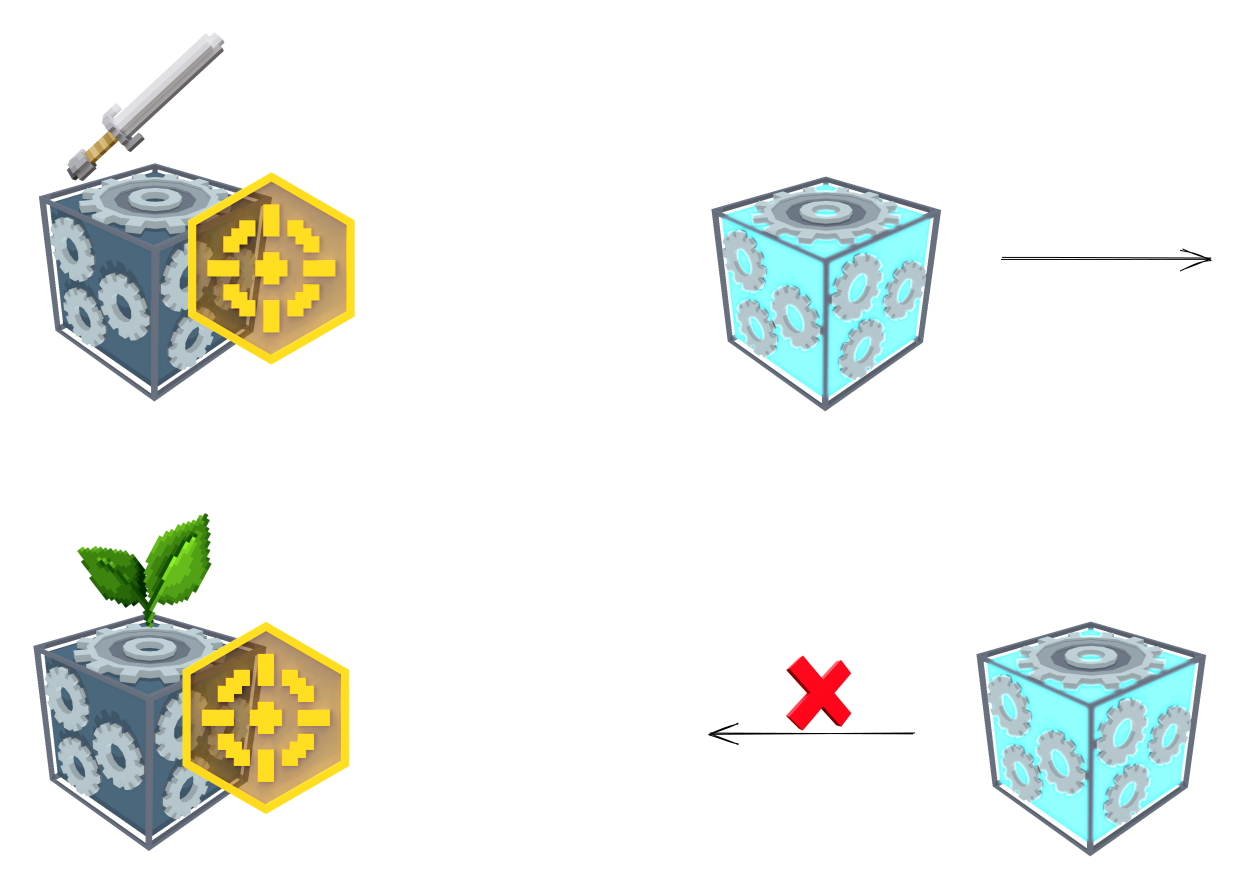
Detects Hostiles or other Tags
Outputs:
Moves away
Detects Plants or other Tags
Randomly moves toward and removes objects with its target Tags
Gathering area - defines the space where the Object will walk around and gather objects with a specified tag. It may step up or down one block at a time.
This parameter is visualised with a blue cube Gizmo that adjusts as you enter new X, Y, and Z values.
Tags - Determines which tags the Object will look for to gather. You may add more than one tag.
Press to remove default or other unwanted tags.
|
|  | **Gathering Speed** (slider) - determine the maximum amount of objects that can be gathered per second within the defined space. |
|  |
Can Flee - if set to true, the Object can flee from enemy tags if it is attacked or if it detects an enemy within its enemy detection range.
Flee when Attacked - if set to true the Object will flee if it is attacked.
|
|  | **Flee Speed** (slider) - Determines the speed at which the Object will flee. The value defines the amount of blocks the Object will travel per second when fleeing. |
|  |
Tags to Flee - Determines which tags the Object detects as an enemy and will flee from.
Enemy Detection (slider) - defines the range within which the Object will detect "tags to flee".
This parameter is visualised with a red circle Gizmo that adjusts as you move the slider or change the value.
|
---
# Agent Instructions
This documentation is published with GitBook. GitBook is the documentation platform designed so that both humans and AI agents can read, navigate, and reason over technical content effectively. Learn more at gitbook.com.
## Querying This Documentation
If you need additional information that is not directly available in this page, you can query the documentation by asking a question.
Perform an HTTP GET request on the following URL with the `ask` and `goal` query parameters:
```
GET https://docs.sandbox.game/en/creator/game-maker/docs/behaviours/npc-ai-pawns/farmer.md?ask=&goal=
```
`ask` is the immediate question: it should be specific, self-contained, and written in natural language.
`goal` is what the user is ultimately trying to achieve, the reason they need the answer. Sharing it helps GitBook give you a better, more relevant answer. A goal is most helpful when it describes the outcome the user wants rather than restating the question. For example, with `ask=how do I create an API token`, a goal like `automate deployments from our CI pipeline` lets GitBook tailor the answer to that use case.
The response will contain a direct answer to the question and relevant excerpts and sources from the documentation.
Use this mechanism when the answer is not explicitly present in the current page, you need clarification or additional context, or you want to retrieve related documentation sections.

 ## Parameters
| Options | Details |
| -------------------------------------------------------------------------------------------------- | ---------------------------------------------------------------------------------------------------------------------------------------------------------------------------------------------------------------------------------------------------------------------------------------------------------------------------------------------------------------------------------------------------------------------------------------------------- |
|  |
## Parameters
| Options | Details |
| -------------------------------------------------------------------------------------------------- | ---------------------------------------------------------------------------------------------------------------------------------------------------------------------------------------------------------------------------------------------------------------------------------------------------------------------------------------------------------------------------------------------------------------------------------------------------- |
|  |  to remove default or other unwanted tags.