# Side Bar

## Side Bar Buttons

<table data-card-size="large" data-view="cards"><thead><tr><th></th><th></th><th></th><th></th><th></th><th></th><th></th><th></th></tr></thead><tbody><tr><td><img src="/files/Tun1X18ffXo75Ey8AIgr" alt="" data-size="line"> <a href="#area-selection">Area Selection</a> (<code>Z</code>)</td><td><img src="/files/NYGz1gnBXaMISGeGolPW" alt="" data-size="line"> <a href="#place-asset-v-block-b">Place </a>Asset (<code>V</code>) / Block (<code>B</code>)</td><td><img src="/files/fYwp28nZbvbTnKIhBbU3" alt="" data-size="line"> <a href="#picker-k">Picker</a> (<code>K</code>)</td><td><img src="/files/Ep1f5IdN7qHz2TArS4z5" alt="" data-size="line"> <a href="#move-button">Move</a> (<code>T</code>)</td><td><img src="/files/IeGLoySjG1vWW3FdxhWV" alt="" data-size="line"> <a href="#rotate-button">Rotate</a> (<code>R</code>)</td><td><img src="/files/VL1HCWgeXVOQ9ZJwi7Wg" alt="" data-size="line"> <a href="#duplicate">Duplicate</a> (<code>CTRL</code>+<code>D</code>)</td><td><img src="/files/ls4ppiRpqt0KbmGu0qYu" alt="" data-size="line"> <a href="#replace-asset-x">Replace</a> (<code>X</code>)</td><td><img src="/files/rlRUpxpWwG9RMBUujtdv" alt="" data-size="line"> <a href="/pages/XwhmUik1f6uH7wa0i6XO">Preset</a> (<code>P</code>)</td></tr><tr><td><img src="/files/MWRukhMvr37PcmeorVwJ" alt="" data-size="line"> <a href="/pages/gd1WUbSuMXcuo0cd2zKL">Hierarchy Panel</a> (<code>H</code>) </td><td></td><td></td><td></td><td></td><td></td><td></td><td></td></tr></tbody></table>

<figure><img src="/files/NB3NKJAcO1R68rm6NSjf" alt=""><figcaption></figcaption></figure>

***

## ![](/files/Tun1X18ffXo75Ey8AIgr) Area Selection (Z) <a href="#area-selection" id="area-selection"></a>

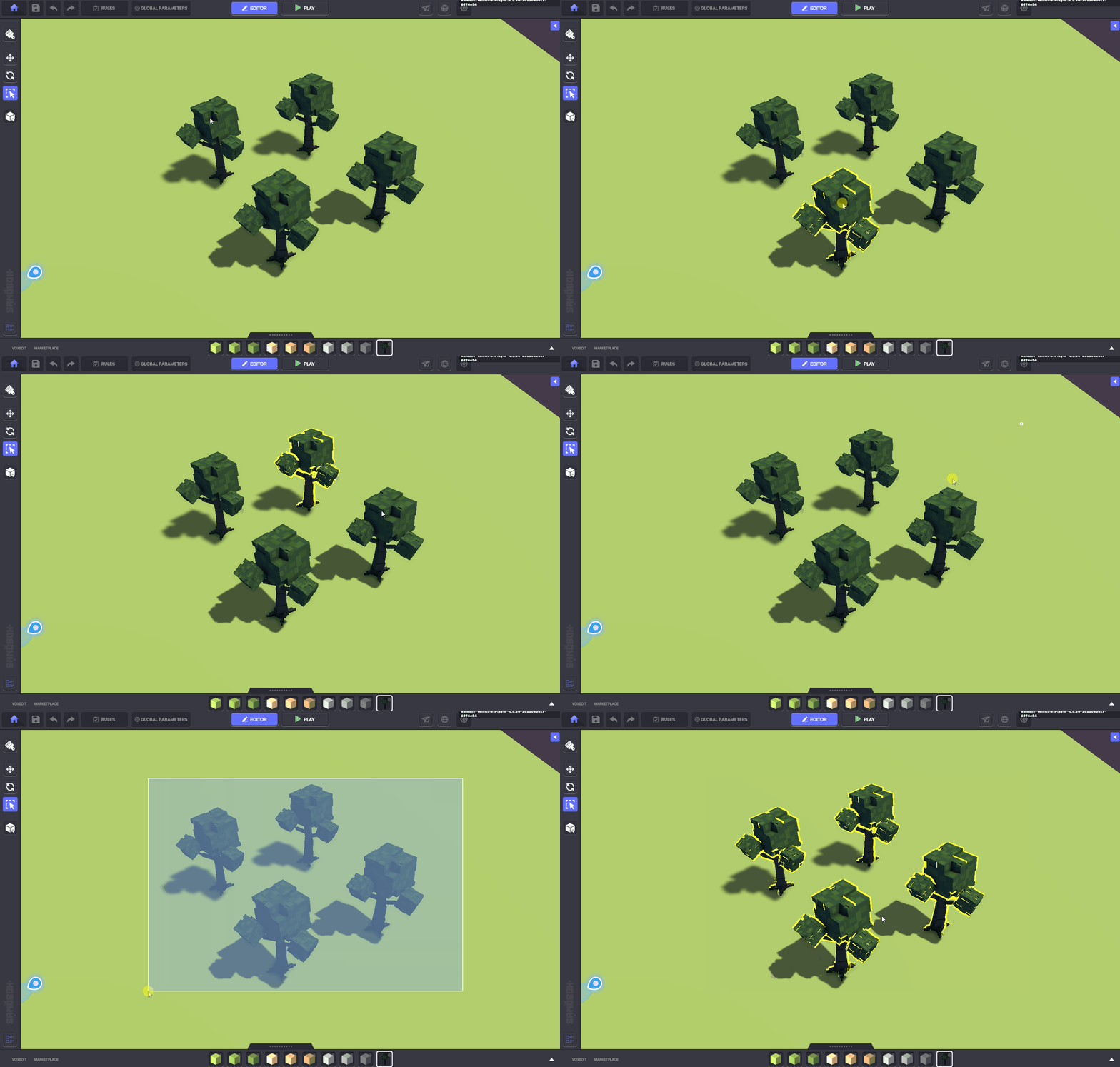
Select one or more objects by clicking or drawing a rectangle. Selected objects are outlined in yellow.

<figure><img src="/files/gXfZiVPhwPX7epaU7fTm" alt=""><figcaption></figcaption></figure>

**Single select** - Left click an object to select it.\
**Multi select** - Left click and drag to draw a rectangle over the objects you wish to select.

{% hint style="danger" %}
Multi select will also include objects in the 3D space behind the objects you see, relative to the direction the camera is facing.
{% endhint %}

{% hint style="info" %}
You can also select objects in **Move** and **Rotate** mode, but **Area Selection** ensures you won't accidentally move or rotate instead.
{% endhint %}

{% hint style="success" %}
To **add** Objects to the selection, hold **SHIFT** and left click. \
To **add or remove** Objects, hold **CTRL** and left click.
{% endhint %}

***

## ![](/files/NYGz1gnBXaMISGeGolPW) Place Asset (V) / Block (B) <a href="#place-asset-block" id="place-asset-block"></a>

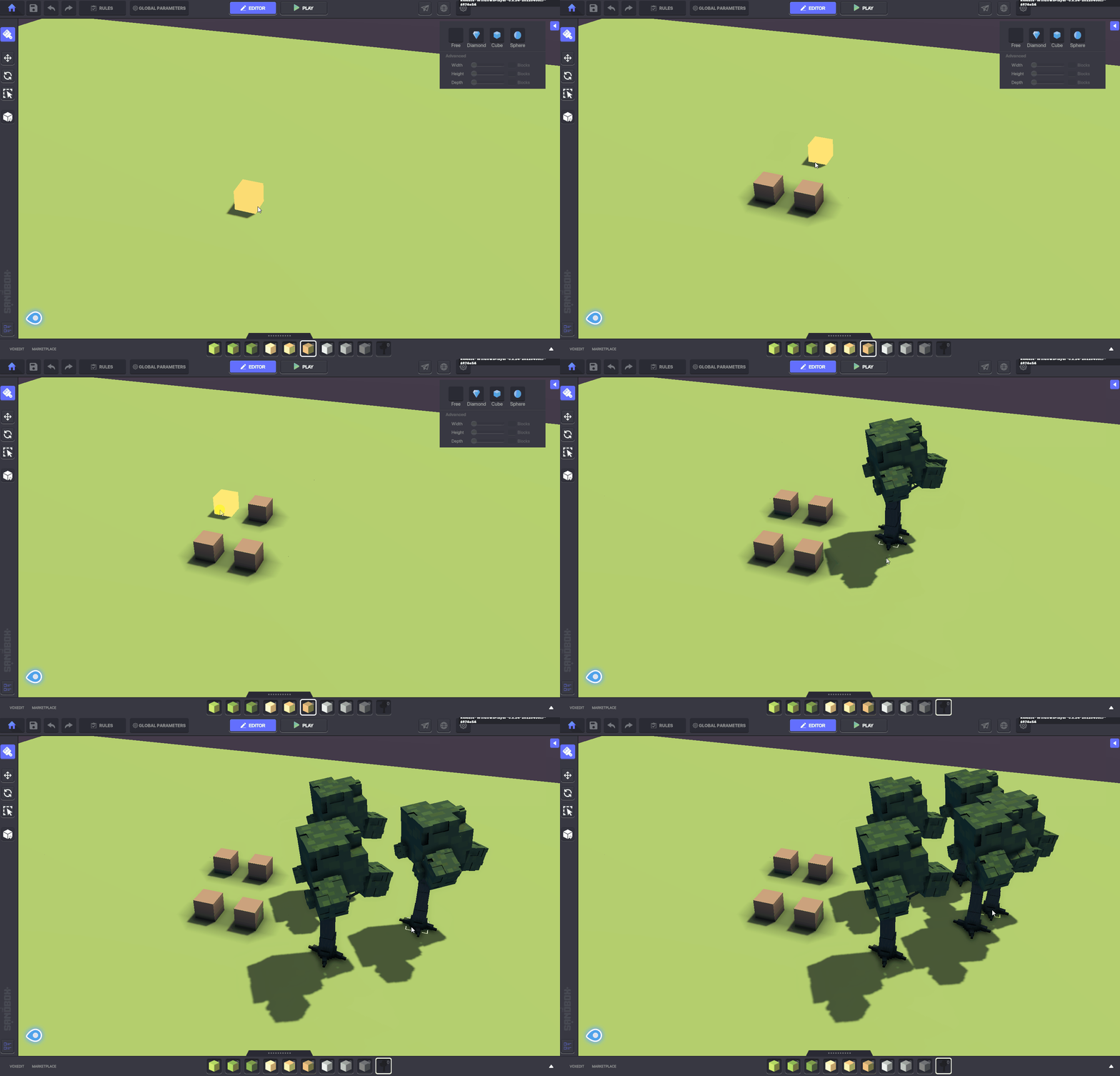
This is the **default tool** when an asset or block is selected from either the [**Quick Access bar or Library**](/en/creator/game-maker/docs/build-menus/library-and-quick-access-bar.md) so you're ready to place them.

<figure><img src="/files/GhP8idDqJ5re0tRUmaN7" alt=""><figcaption></figcaption></figure>

***

## ![](/files/fYwp28nZbvbTnKIhBbU3) Picker (`K`) <a href="#picker" id="picker"></a>

Click on a block or asset to select it.&#x20;

This allow you to view it in the [**Properties**](/en/creator/game-maker/docs/build-menus/properties-panel.md) panel or switch to the **Place Asset / Block** tool and place it again.

<figure><img src="/files/iTG1r0M6Lb5urkrTPnE1" alt=""><figcaption></figcaption></figure>

***

## ![](/files/Ep1f5IdN7qHz2TArS4z5) Move (`T`) <a href="#move" id="move"></a>

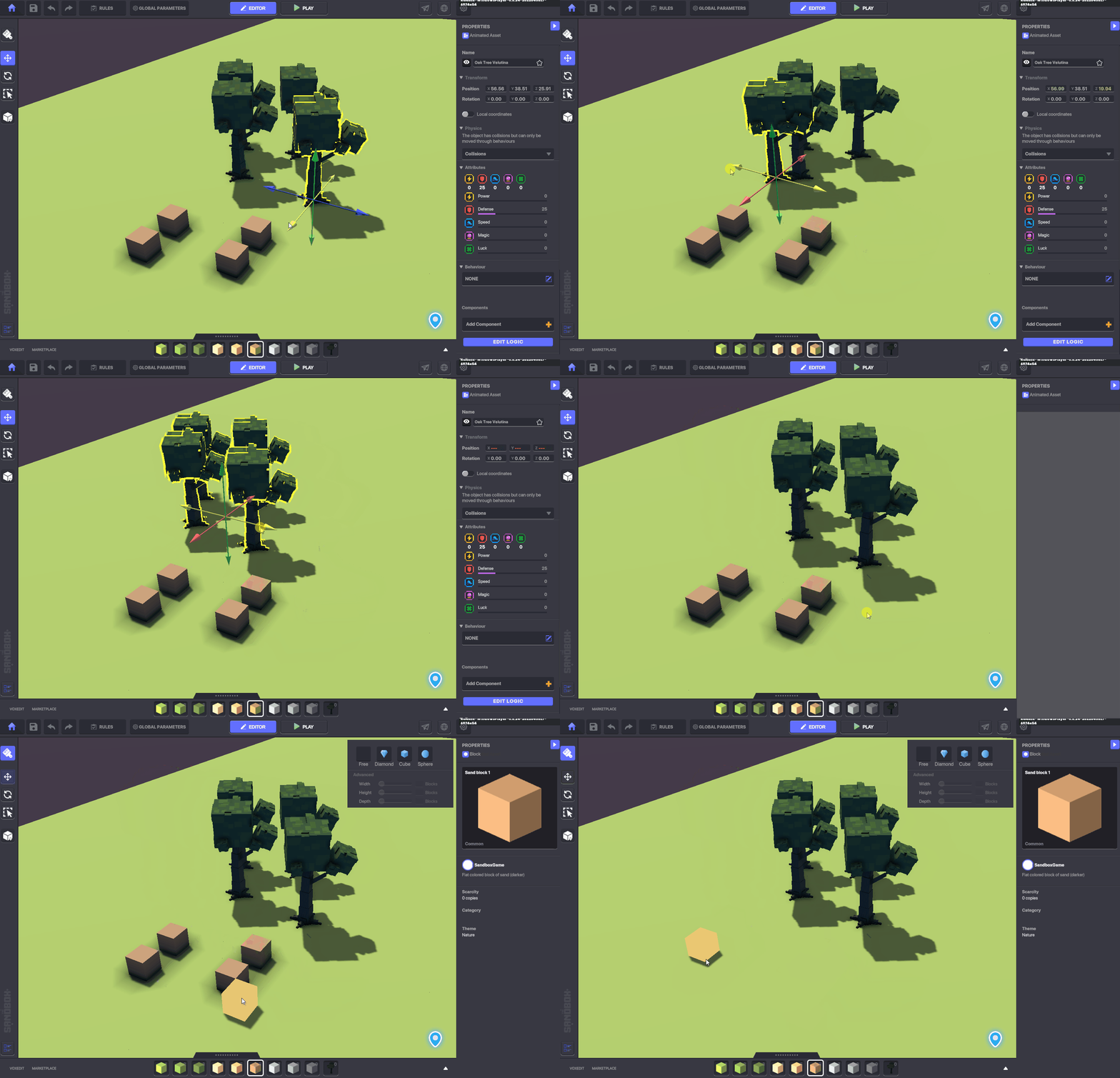
The **Move Tool** controls the position of an **Object** along the <mark style="color:red;">**X**</mark>, <mark style="color:green;">**Y**</mark>, and <mark style="color:blue;">**Z**</mark>-axis. You can move objects individually or as a group.

<figure><img src="/files/tQqhA25xE3zthaaAgFN1" alt=""><figcaption></figcaption></figure>

{% hint style="info" %}
The shortcut for the **Move Tool** is the **I key**.
{% endhint %}

{% hint style="warning" %}
Blocks can **NOT** be moved. They must be deleted or replaced.
{% endhint %}

***

## ![](/files/IeGLoySjG1vWW3FdxhWV) Rotate (`R`) <a href="#rotate" id="rotate"></a>

<figure><img src="/files/fwvt6AJHpAyqEQ8Eim9c" alt=""><figcaption></figcaption></figure>

The **Rotate Tool** controls the rotation of an **Object** along the <mark style="color:red;">**X**</mark>, <mark style="color:green;">**Y**</mark>, and <mark style="color:blue;">**Z**</mark>-axis. You can rotate objects indivividually or as a group.

{% hint style="info" %}
The shortcut for the **Rotate** Tool is the **O key**.
{% endhint %}

{% hint style="warning" %}
Blocks can **NOT** be rotated.&#x20;
{% endhint %}

{% hint style="info" %}
Randomly rotate a selected object using **CTRL+R**.
{% endhint %}

***

## ![](/files/GRCz3y1fcoK0AUVgLfKI) Duplicate (`CTRL`+ `D)` <a href="#duplicate" id="duplicate"></a>

Make a copy of any object(s) currently selected.

***

## ![](/files/v0gYmCwt6mAla79gBPCA) Replace Asset (`X`) <a href="#replace-asset" id="replace-asset"></a>

{% embed url="<https://youtu.be/gFi7-DlAy6A>" %}

Replace temporary placeholder Assets without losing the logic you already applied.

* **Replace the selected instance** of an Asset
* **Replace all instances** of a selected Asset
* **Move selection between instances** of the Asset to find the right one to replace

<figure><img src="/files/iv6ryukILeZwby6Zcy98" alt=""><figcaption></figcaption></figure>


---

# Agent Instructions: Querying This Documentation

If you need additional information that is not directly available in this page, you can query the documentation dynamically by asking a question.

Perform an HTTP GET request on the current page URL with the `ask` query parameter:

```
GET https://docs.sandbox.game/en/creator/game-maker/docs/build-menus/side-bar.md?ask=<question>
```

The question should be specific, self-contained, and written in natural language.
The response will contain a direct answer to the question and relevant excerpts and sources from the documentation.

Use this mechanism when the answer is not explicitly present in the current page, you need clarification or additional context, or you want to retrieve related documentation sections.