# Gameplay

{% hint style="info" %}
Hover the mouse over any parameter name for a tooltip describing what it does.
{% endhint %}

{% hint style="info" %}
Lighting settings in the Ambiance tab may be changed during an Experience when an object with [**Weather Switcher**](https://docs.sandbox.game/en/creator/game-maker/docs/behaviours/visual/weather-switcher) behaviour is triggered.
{% endhint %}

## Contents

<table data-card-size="large" data-view="cards"><thead><tr><th data-card-target data-type="content-ref"></th><th data-hidden></th></tr></thead><tbody><tr><td><a href="#game-rules">#game-rules</a></td><td></td></tr><tr><td><a href="#start-screen">#start-screen</a></td><td></td></tr><tr><td><a href="#movement-palette">#movement-palette</a></td><td></td></tr><tr><td><a href="#camera">#camera</a></td><td></td></tr><tr><td><a href="#ambiance">#ambiance</a></td><td></td></tr><tr><td><a href="#parameters">#parameters</a></td><td></td></tr></tbody></table>

***

## Game Rules

Game Rules are a powerful toolset allowing creators to define complex and dynamic logic for innovative gameplay loops in an easy and efficient way.

Learn more about [**Game Rules**](https://docs.sandbox.game/en/creator/game-maker/docs/game-rules).

***

## Start Screen

Make a strong first impression with an overview of your Experience before gameplay begins. Use the toggle to turn on your start Experience screen and customise settings.

<figure><img src="https://331512196-files.gitbook.io/~/files/v0/b/gitbook-x-prod.appspot.com/o/spaces%2F83PS3g9zpWmq73xzlwFn%2Fuploads%2FTumnLcitaonlOJbOJtM8%2Fimage.png?alt=media&#x26;token=827cba53-0e63-47e1-81af-d4b877862998" alt="" width="563"><figcaption></figcaption></figure>

### Camera

{% hint style="info" %}
Test camera settings to ensure there is no clipping[^1] of walls in tight spaces.
{% endhint %}

<table data-view="cards"><thead><tr><th></th></tr></thead><tbody><tr><td><p><strong>Camera Mode</strong></p><ul><li><strong>Camera Welcoming -</strong> A rotating view based on the Camera's Target dropdown selection</li><li><strong>Image Welcoming -</strong> A static image of the last camera position</li></ul></td></tr><tr><td><p><strong>Camera's Target</strong></p><ul><li><strong>Avatar -</strong> Rotate view around the avatar spawner</li><li><strong>World Center -</strong> Rotate view around the highest surface at the Experience Center</li></ul></td></tr><tr><td><strong>Distance to Camera</strong><br><br>Enter a distance in blocks between the camera and the chosen <strong>Camera's Target</strong>.</td></tr></tbody></table>

{% hint style="success" %}
In many cases, it may be better to reveal quests over time as the narrative.&#x20;
{% endhint %}

<table data-card-size="large" data-view="cards"><thead><tr><th></th></tr></thead><tbody><tr><td><strong>Asset Rarities Count</strong><br><br>Display <strong>Unique Assets</strong> count by Rarity to show the Experience's content diversity and the creator's investment. Values reflect Asset count, not object count.</td></tr><tr><td><strong>Display Objectives</strong><br><br>Display a list of all quests that can be completed in the Experience on the start screen.</td></tr></tbody></table>

### Level Info

{% hint style="info" %}
[**Rich text formatting**](https://docs.sandbox.game/en/creator/creative-guides/logic-guide/text-quests-and-icons#text-formatting) can be used for level info, but counts as characters.
{% endhint %}

{% hint style="success" %}
Use [**Experience Publishing**](https://docs.sandbox.game/en/creator/game-maker/publish-experiences) tools to enter Experience name and descriptions that will appear on the Map, Experience Page, and Game Client loading screen.
{% endhint %}

<table data-card-size="large" data-view="cards"><thead><tr><th></th></tr></thead><tbody><tr><td><strong>Level Name</strong><br><br>Customise the Experience name players see with 50 characters of text. The Experience file name is the default text.</td></tr><tr><td><strong>Description</strong><br><br>A short summary or teaser of your Experience with 120 characters or less.</td></tr></tbody></table>

### Music

Choose from available music to play during the brief period the welcome screen is active.

***

## Movement Palette

{% hint style="warning" %}
**UPDATING LEVEL DESIGN FOR 0.11**

Visit [#movement-palettes](https://docs.sandbox.game/en/creator/version-notes-and-changelogs/game-maker-0.11/0.11-upgrade-guide#movement-palettes "mention") in the [0.11-upgrade-guide](https://docs.sandbox.game/en/creator/game-maker/version-notes-and-changelogs/game-maker-0.11/0.11-upgrade-guide "mention") to update old Experiences and learn about modifications to level design needed for new Experiences.
{% endhint %}

Choose from available palettes to fine tune controls and movements to suit certain gameplay types.

<figure><img src="https://331512196-files.gitbook.io/~/files/v0/b/gitbook-x-prod.appspot.com/o/spaces%2F83PS3g9zpWmq73xzlwFn%2Fuploads%2FQN4e18ecsyT8156P7N1t%2Fimage.png?alt=media&#x26;token=acbde54b-4e10-4612-8349-2c2a9ee1b15b" alt=""><figcaption></figcaption></figure>

{% hint style="info" %}
Experiences built before Game Maker 0.11 automatically have the **Legacy** palette applied to preserve their settings. To change to a 0.11+ palette, select an option in the dropdown.
{% endhint %}

### **Legacy**

Pre-0.11 Experiences (option does not appear in newer Experiences)

### **Default**

0.11 Experiences and beyond now include:

<table data-card-size="large" data-view="cards"><thead><tr><th></th><th></th><th data-hidden data-card-cover data-type="files"></th></tr></thead><tbody><tr><td><strong>Edge Recovery</strong></td><td>Allows players to reach platforms up to 2.5 blocks high (previously 1.5).</td><td><a href="https://331512196-files.gitbook.io/~/files/v0/b/gitbook-x-prod.appspot.com/o/spaces%2F83PS3g9zpWmq73xzlwFn%2Fuploads%2Fm436f8R6Slho9678imeU%2FGM%200.11%20Edge%20recovery%20default%20movement%20palette.webp?alt=media&#x26;token=e55c6923-4aa0-4352-ae2b-589494276a38">GM 0.11 Edge recovery default movement palette.webp</a></td></tr><tr><td><strong>Coyote Time</strong></td><td>Provides a fraction of a second of additional time to jump without falling when players reach the edge of a platform.</td><td><a href="https://331512196-files.gitbook.io/~/files/v0/b/gitbook-x-prod.appspot.com/o/spaces%2F83PS3g9zpWmq73xzlwFn%2Fuploads%2Fb6pU9IXqOsvDOlBTGsRK%2FGM%200.11%20Coyote%20Time%20default%20movement%20palette.webp?alt=media&#x26;token=87d0d5a5-1d49-42d5-8e26-7f59efe630ee">GM 0.11 Coyote Time default movement palette.webp</a></td></tr></tbody></table>

***

## Camera

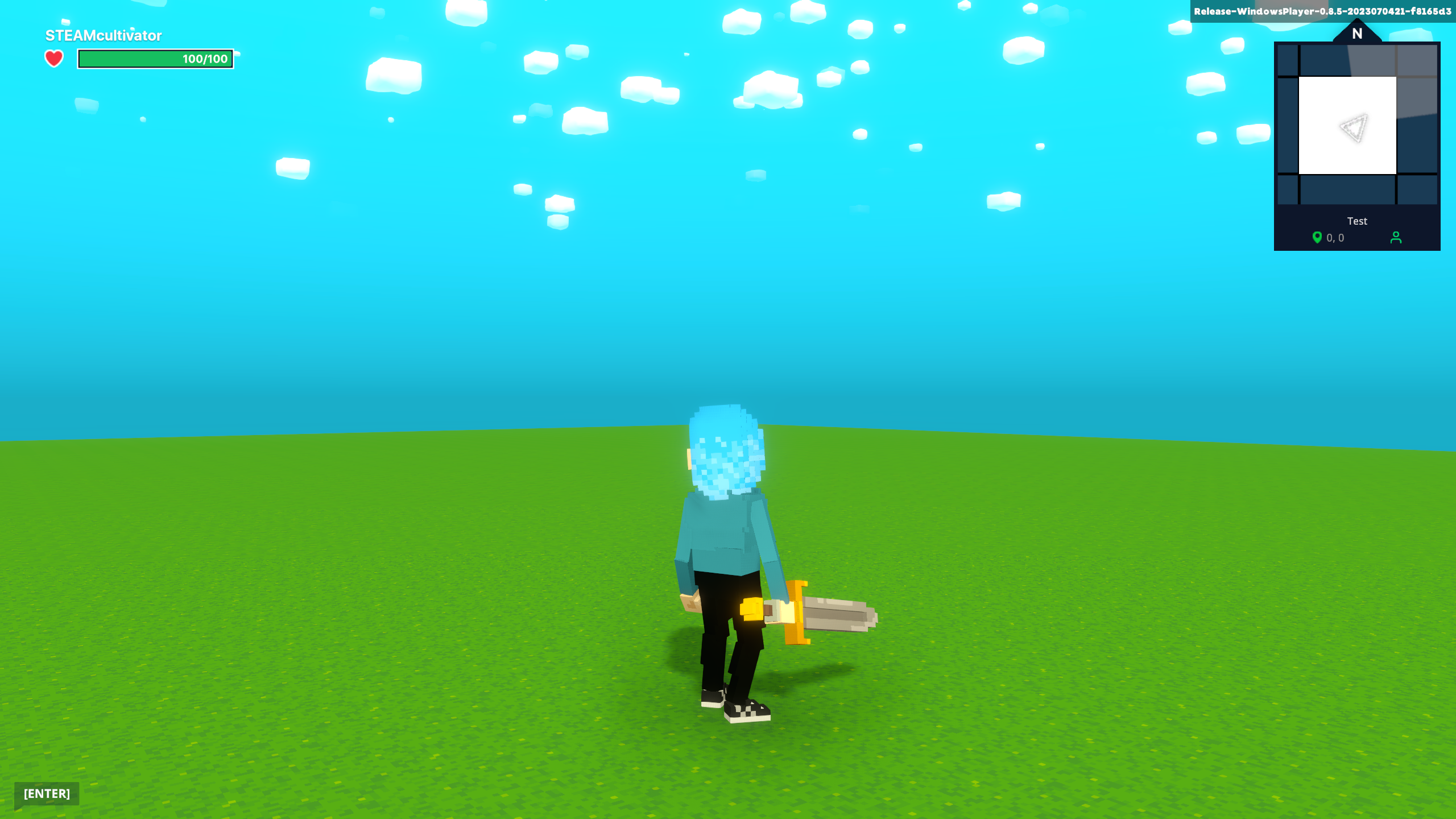
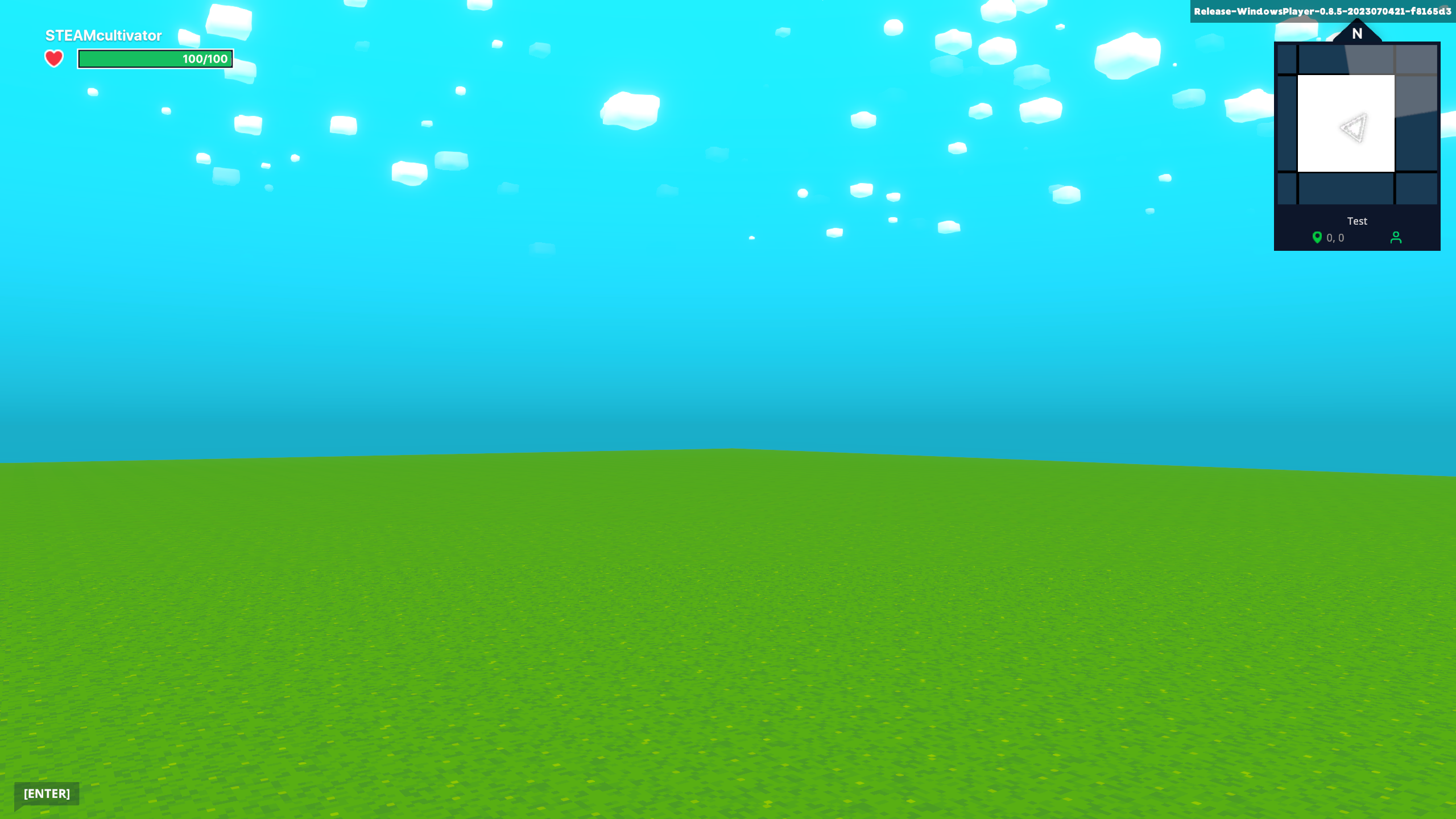
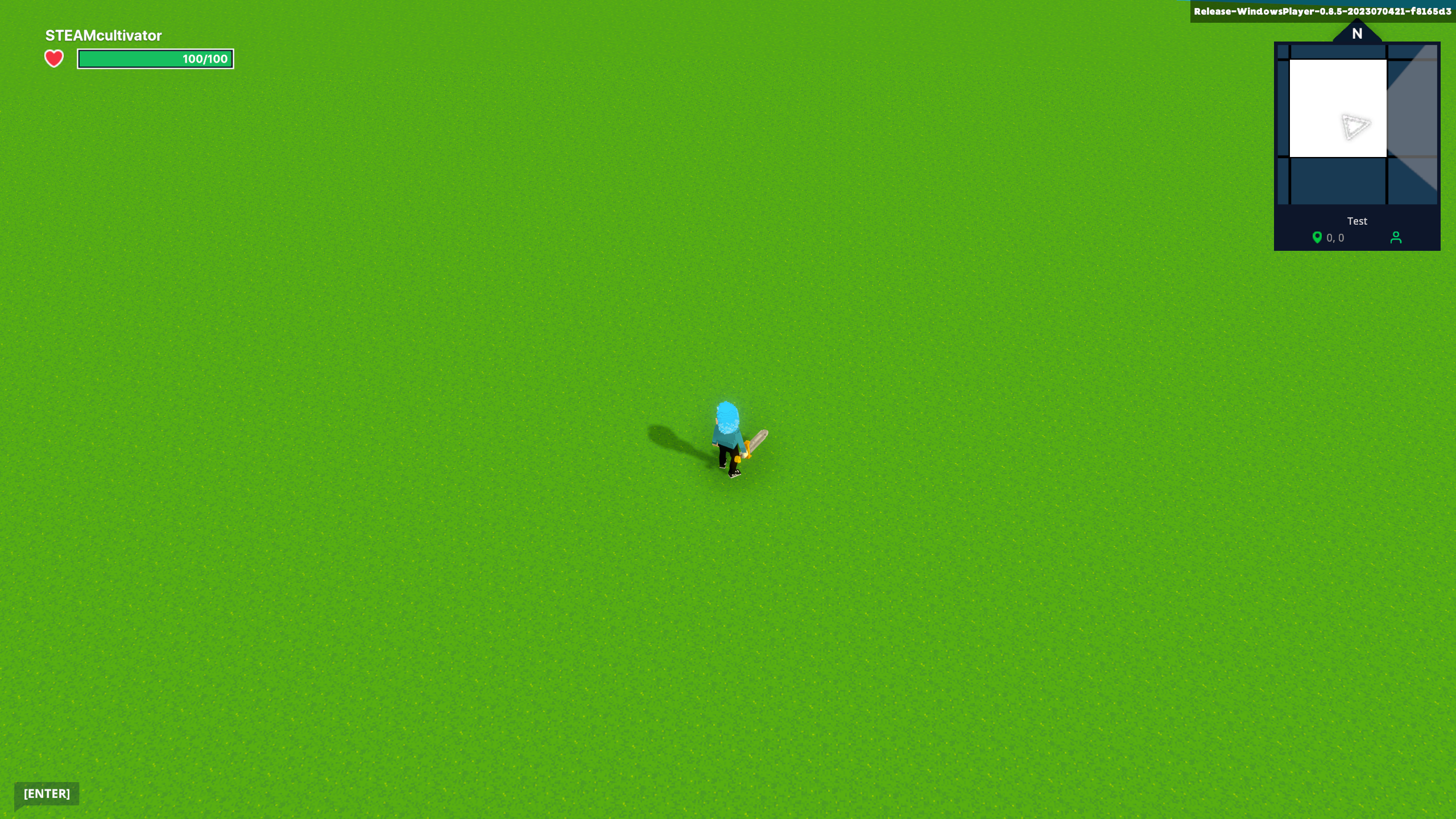
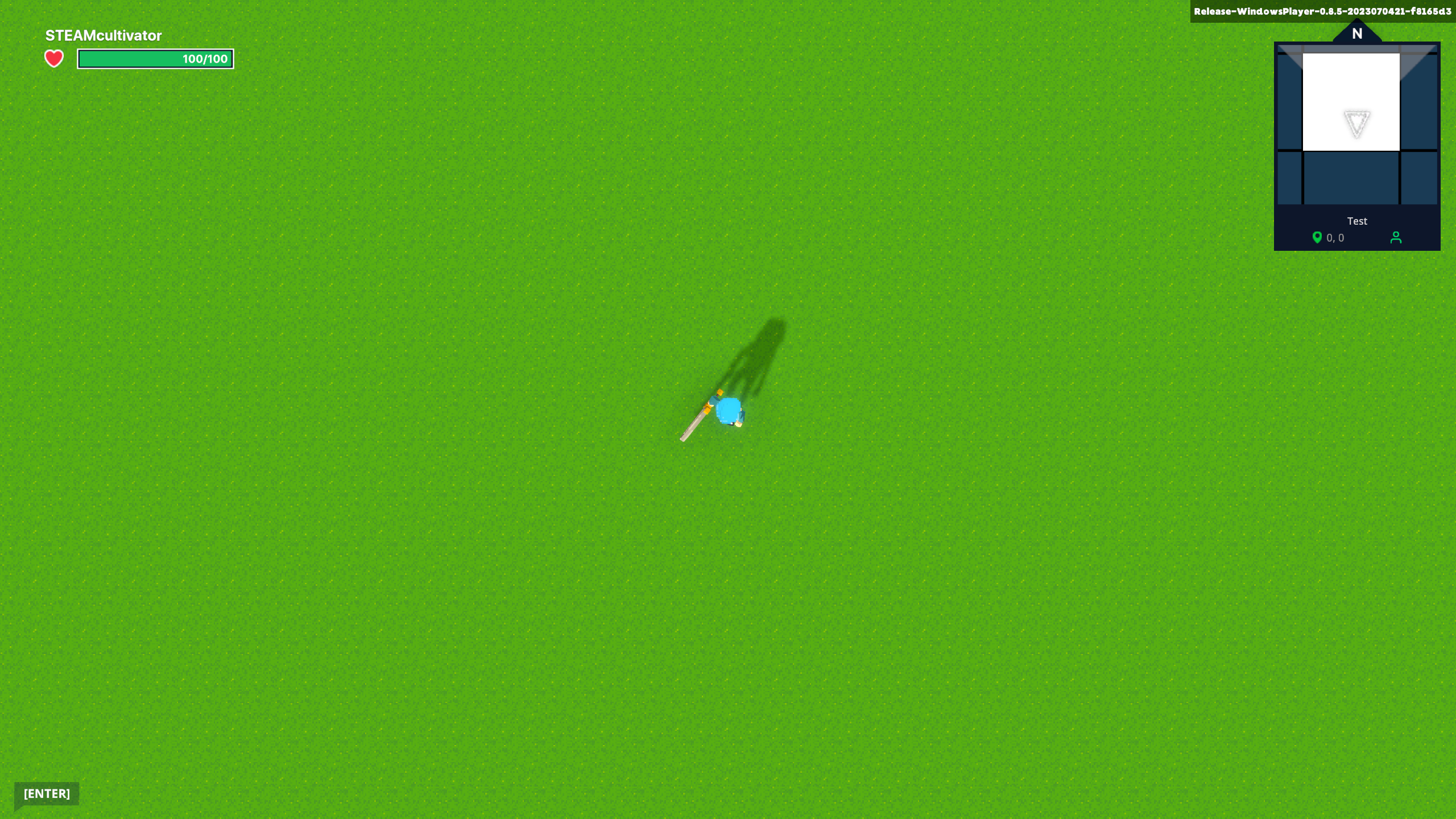
The Camera tab allows you to select between four default cameras and make specific customisations within each camera type. A different combination of settings appear for each camera mode.

<figure><img src="https://331512196-files.gitbook.io/~/files/v0/b/gitbook-x-prod.appspot.com/o/spaces%2F83PS3g9zpWmq73xzlwFn%2Fuploads%2FuhsmA058Zi3IwmSsW2FW%2Fimage.png?alt=media&#x26;token=a6491318-045b-4423-96ae-8b26ba6defb1" alt="" width="563"><figcaption></figcaption></figure>

<table data-card-size="large" data-view="cards"><thead><tr><th></th></tr></thead><tbody><tr><td><h4><strong>3rd Person (default, recommended)</strong></h4><p><img src="https://content.gitbook.com/content/83PS3g9zpWmq73xzlwFn/blobs/5EWUlG6merqKMgZ0WkOH/image.png" alt="" data-size="original"></p></td></tr><tr><td><h4><strong>1st Person</strong></h4><p><img src="https://content.gitbook.com/content/83PS3g9zpWmq73xzlwFn/blobs/256eQmHJT8QsG9Mk3Ldt/image.png" alt="" data-size="original"><br>This mode allows you to set the camera on the avatar's head or set a camera altitude.</p></td></tr><tr><td><h4><strong>Angled</strong></h4><p><img src="https://content.gitbook.com/content/83PS3g9zpWmq73xzlwFn/blobs/O5TafaTYulvfDDwJzqde/image.png" alt="" data-size="original"><br>This mode includes a camera lock toggle.</p></td></tr><tr><td><h4><strong>Top Down</strong></h4><p><img src="https://content.gitbook.com/content/83PS3g9zpWmq73xzlwFn/blobs/nklVptQVLU9JF9JsWRFR/image.png" alt="" data-size="original"><br>This mode includes a camera lock toggle.</p></td></tr></tbody></table>

***

## Ambiance

Set the default global lighting and sound for your Experience.

<figure><img src="https://331512196-files.gitbook.io/~/files/v0/b/gitbook-x-prod.appspot.com/o/spaces%2F83PS3g9zpWmq73xzlwFn%2Fuploads%2FhYydohRubmh91Se2TUhg%2Fimage.png?alt=media&#x26;token=860d7dda-542b-4ddb-b1ce-9d0e1c080000" alt="" width="563"><figcaption></figcaption></figure>

{% hint style="info" %}
**OVERRIDE**

Override Lighting set in Ambiance with [**Weather Switcher Behaviour**](https://docs.sandbox.game/en/creator/game-maker/docs/behaviours/visual/weather-switcher). Find Weather Assets in the Game Maker Library's Logic tab or apply the behaviour to any object.

There are three ways to use Weather Switcher Behaviour:

* Active from the start of the Experience
* Trigger to change instantly with a message
* Gradually transition from the current weather with a special message
  {% endhint %}

***

## Parameters

Global settings which were previously found in the Player menu have been moved to this new tab in GM 0.11. Non-global player settings have been moved into [spawn-point-and-avatars-feature](https://docs.sandbox.game/en/creator/game-maker/docs/behaviours/basic-logic/spawn-point-and-avatars-feature "mention").

Global settings include:

* **Swimming** (and optionally, <mark style="color:green;">**Oxygen**</mark>)
* **Fall damage** (damage relative to height of fall)
* **PVE** (player versus enemy)
* **Removing buffs on death** (see [power-up](https://docs.sandbox.game/en/creator/game-maker/docs/components/status/power-up "mention") to learn more about buffs/debuffs)

<figure><img src="https://331512196-files.gitbook.io/~/files/v0/b/gitbook-x-prod.appspot.com/o/spaces%2F83PS3g9zpWmq73xzlwFn%2Fuploads%2FJ5F2xwm4nLXBlMSXtRLH%2Fimage.png?alt=media&#x26;token=c02279a9-68b1-4a39-9d78-6693f8bad49c" alt="" width="563"><figcaption></figcaption></figure>

<div><figure><img src="https://331512196-files.gitbook.io/~/files/v0/b/gitbook-x-prod.appspot.com/o/spaces%2F83PS3g9zpWmq73xzlwFn%2Fuploads%2F039c1vxguRwDpprWOLMD%2FGM%200.9%20Avatar%20Oxygen.gif?alt=media&#x26;token=f0107fdd-943b-4ce8-a278-a54cee8307db" alt=""><figcaption><p>Oxygen</p></figcaption></figure> <figure><img src="https://331512196-files.gitbook.io/~/files/v0/b/gitbook-x-prod.appspot.com/o/spaces%2F83PS3g9zpWmq73xzlwFn%2Fuploads%2FMMmGRsXneNlbasXDypvf%2FGM%200.9%20Oxygen%20Icon.png?alt=media&#x26;token=5f05bbe9-07f7-4307-96d1-d0c930ab67fd" alt=""><figcaption><p>Oxygen Remaining</p></figcaption></figure> <figure><img src="https://331512196-files.gitbook.io/~/files/v0/b/gitbook-x-prod.appspot.com/o/spaces%2F83PS3g9zpWmq73xzlwFn%2Fuploads%2FJDeD1UEfXtZ5JkVd4LRw%2FGM%200.9%20Avatar%20Fall%20Damage.gif?alt=media&#x26;token=182ed266-1d02-49f1-b0e6-b3f1d127c646" alt=""><figcaption><p>Fall Damage</p></figcaption></figure></div>

<table data-card-size="large" data-view="cards"><thead><tr><th></th></tr></thead><tbody><tr><td><img src="https://331512196-files.gitbook.io/~/files/v0/b/gitbook-x-prod.appspot.com/o/spaces%2F83PS3g9zpWmq73xzlwFn%2Fuploads%2FIuMUlkC3z1lF5GA6s3ir%2FGM%200.8%20avatar%20swim%20opt.webp?alt=media&#x26;token=819156c6-11eb-44bc-959b-9a6e386febfa" alt="" data-size="original"></td></tr><tr><td><strong>Swimming</strong><br><br>When swimming is enabled in your Experience, players will switch to swim mode automatically if they pass through liquid blocks at least two blocks deep. They can press <strong><code>C</code></strong> to submerge (dive straight down).</td></tr></tbody></table>

[^1]: An undesirable effect where the camera positions itself inside of blocks or objects and renders an empty space that reveals anything adjacent such as nearby rooms.


---

# Agent Instructions: Querying This Documentation

If you need additional information that is not directly available in this page, you can query the documentation dynamically by asking a question.

Perform an HTTP GET request on the current page URL with the `ask` query parameter:

```
GET https://docs.sandbox.game/en/creator/game-maker/docs/build-menus/top-bar/gameplay.md?ask=<question>
```

The question should be specific, self-contained, and written in natural language.
The response will contain a direct answer to the question and relevant excerpts and sources from the documentation.

Use this mechanism when the answer is not explicitly present in the current page, you need clarification or additional context, or you want to retrieve related documentation sections.