For the complete documentation index, see llms.txt. This page is also available as Markdown.

Objectives

GM 0.11 update: Objectives system ported for multiplayer compatibility.

What Are Quests?

Quests are game events that prompt players to take action through descriptive UI and object icons.

A quest may be triggered and completed only ONCE.

Player Screen: Quest banner (center) and UI (right)

Quest data is used in Seasons and Events to track player progression to earn rewards.

Text, Quests & Object Icons

Visit Text, Quests & Icons in the Logic Guide to learn how to set up quests with dialogue and object icons.

Dialogue Strings

Asker behaviours can be triggered in a sequence for conversations with NPCs and result in quest state changes

Object Icons for Quests

Indicator component can apply icons for quest givers, receivers, and objectives to make these objects easier to find in the game world

Communication with Other Logic

Legacy Objectives System

Singleplayer Experiences

SP and MP behaviours and components Game Rules

Multiplayer Experiences

SP behaviours and components MP behaviours and components Game Rules

New Objectives System (0.11)

Singleplayer Experiences

SP and MP behaviours and components Game Rules

Multiplayer Experiences

SP behaviours and components MP behaviours and components Game Rules


Manage Quests

Each quest has its own card and appears in a vertical list. Order can not be changed, but it does not affect when a quest will be triggered.

Game Maker 0.11 Objectives Window

Add Quest

Delete Quest

Collapsed Quest Card

Expanded Quest Card

Information for the Player UI

Quest Name Maximum Characters: 20

Quest Description Maximum Characters: 160


Quest States

1. Unlock Quest

  • Requires Message - Waits for a specified Message to be unlocked

2. Launch Quest

  • Auto Launch - Automatically launches the Quest if it is unlocked

  • Requires Message - Waits for a specified Message to launch if unlocked

3. Quest Type

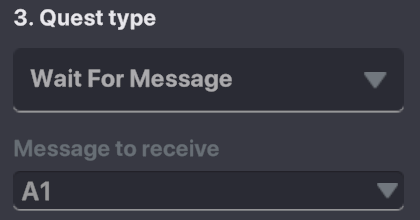
The four types of Quests available are Counter, Asset Death, Timer, and Wait for Message.

4. Quest Completion

Once the condition for the Quest type is met:

  • Auto Completion - The Quest instantly completes

  • Requires Message - A specified Message is still required to complete the Quest

5. Action After Completion

Once the Quest is completed:

  • Send Message - A Message will be sent, which can trigger a new Quest or other logic


Quest Types

The use cases noted for each quest type are only a few ideas to get you started.

Counter Quest

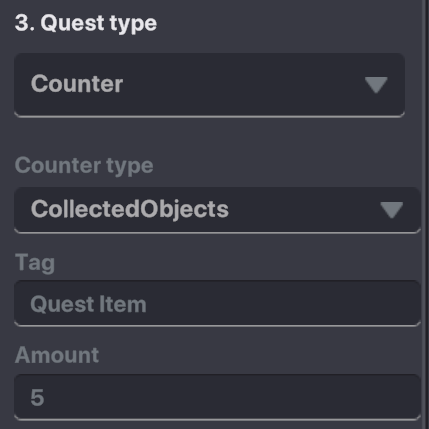
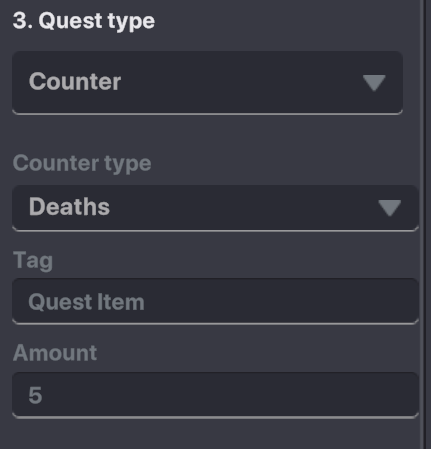
The player must collect or destroy a specified number of objects that have a specified tag.

Collected Objects

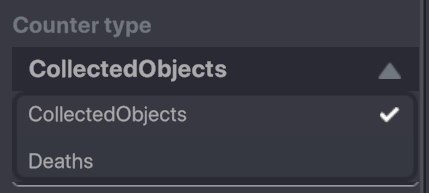
Select CollectedObjects from the dropdown, set the tag to count, and set the amount required. Place at least the specified amount of objects in the game world, each with a Collectible Component, and the Tag noted in the Quest applied.

Use Cases:

  • Collect the same item as a side Quest, such as voxelite

  • Collect different items for a combined purpose, such as recipe ingredients, machine parts, etc.

Object Deaths

Select Deaths from dropdown, set the tag to count, and set the amount required. Place at least the specified amount of objects in the game world, each with a Health Component and the Tag noted in the Quest applied.

Use Cases:

  • Destroy the same type of enemies

  • Destroy a variety of enemies in a room

  • Destroy objects to propel a narrative (e.g., rocks to escape a cave)

  • Destroy relay objects to kill a more powerful enemy (boss fight)

Asset Death Quest

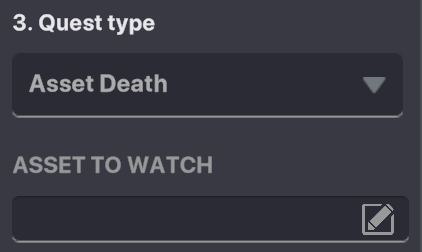
The player must destroy a specific object.

Click on the Asset to Watch field to open a window and select a specific object you have placed in the Experience.

Use Cases:

  • Boss fight, single enemy

  • Boss fight, multiple "holograms," one target

  • Destroy a specific object as part of a narrative

Timer Quest

The player must complete a condition during a specified time limit (seconds) with a goal to survive, defend, or receive a Message.

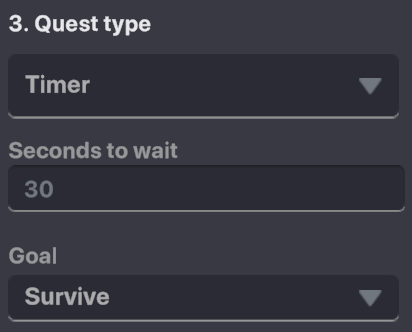
Survive

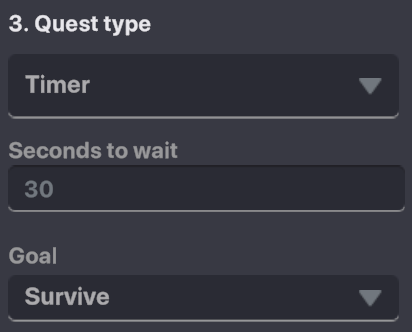
Set the Seconds to wait as the timer and select Survive from the Goal dropdown.

The player must not die during that time period.

Use Cases:

  • Boss fight where a door will open if the player can survive, or else they have to take a different route

  • Fight an enemy horde

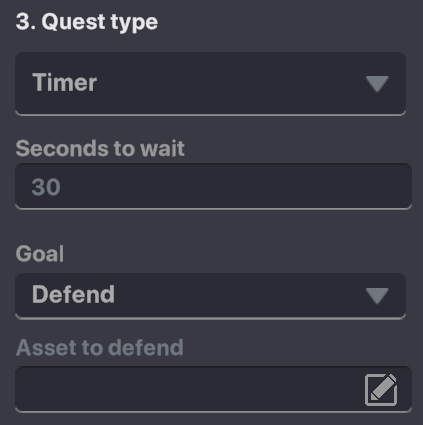
Defend

Set the Seconds to wait as the timer and select Defend from the Goal dropdown.

The player must not allow a target object to be destroyed during that time period.

Use Cases:

  • Protect an important NPC in the narrative

  • Protect an important item in a narrative from enemy attacks during a battle scene (e.g., castle gate)

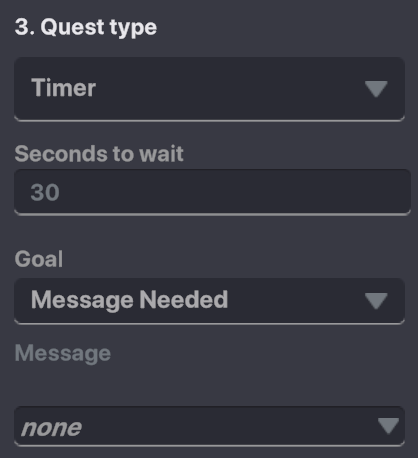
Message Needed

Set the Seconds to wait as the timer and select Message Needed from the Goal dropdown.

The player's actions must trigger a Message during the specified time period. ⚠️ (0.11 Multiplayer) The message must be sent through direct player interaction to include player source data.

Use Cases:

  • Timed parkour race

  • Timed fetch Quest

  • Timed collect Quest

  • Timed quiz given by an NPC with a reward if completed successfully

The difference between a Message Needed Timer Quest and a Wait for Message Quest is that a timer appears in the UI and the quest will not complete if the message is not recived before it runs out.

Wait for Message Quest

The player's actions must trigger a specified Message to be received.

Set a Message to receive. Place an object in the game world for players to interact with (pressing E to send the Interact message, detection, collection, etc). The player must trigger the message to be sent to Objectives to complete the quest.

Use Cases:

  • Detect a pickable item or the player's avatar at a location

  • Quest driven by an NPC's Asker Behaviour responses

  • Points of interest Quest


Migration to 0.11 Objectives

When you open an Experience built before Game Maker 0.11 and open the Objectives window, you will be prompted to migrate to the new Objectives system.

Migration Helper

If you choose to migrate to the new Objectives system, a helper will appear after quest data is migrated. It will highlight any quests that require manual adjustments to meet requirements of the new multiplayer compatible Objectives system.

Info boxes added to this page provide more detailed explanations of what has changed in the update.

The most important change when migrating is to ensure that for multiplayer games, messages sent to Objectives have a player source for every player who should experience a change in quest status (unlock, launch, completion, post-completion), and players who should not have no way to trigger the message. Player source data is automatically sent with a message upon player interaction (detection, object interaction, etc).

Last updated

Was this helpful?