> For the complete documentation index, see [llms.txt](https://docs.sandbox.game/en/llms.txt). Markdown versions of documentation pages are available by appending `.md` to page URLs; this page is available as [Markdown](https://docs.sandbox.game/en/creator/game-maker/docs/using-assets-and-objects/tags.md).
# Tags
## What are Tags?
{% tabs %}
{% tab title="About" %}
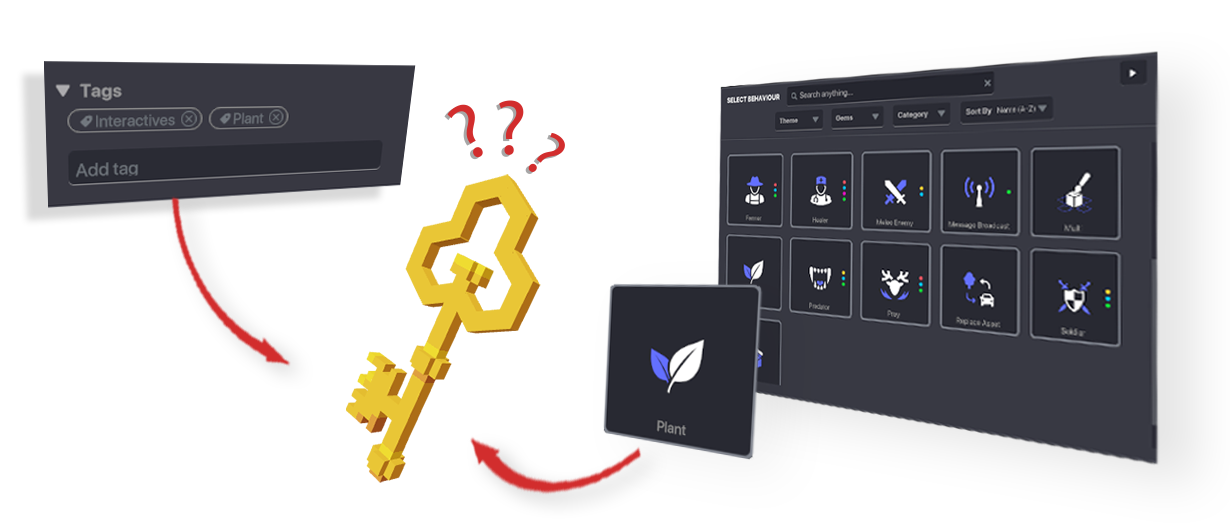
**Tags** are identifiers attached to objects and player avatars so they can be detected, responded to, and communicated with as part of the logic relationships you create.
### Defaults
You can build simple interactive gameplay fast with default properties that are added when you apply behaviours and components, including tags.
### Customisation
You can also create a broad variety of custom gameplay mechanics by modifying object tags and the flexible parameters that behaviours and components include.
{% endtab %}
{% tab title="Identity" %}
## Identity
Tags can be unique to an object or group of objects, regardless of what assets are used to create them or what behaviour or components are applied.
### Same Asset, Different Identities
Place multiple objects using the same asset and give some of them a unique tag if you want them to be identified differently by your game logic.
**Example:**
Use tags to identify some objects in a group, such as platforms, to be destroyed. Destroying them during a parkour race makes it more exciting. However, this can also be part of the design for a parkour race with varying difficulty levels that the player chooses from at the start.
### Different Asset, Same Identity
Place multiple objects using different assets and give them the same tag if you want them to be identified as an object type or as part of a group.
**Example:**
A quest asks players to collect multiple different items as ingredients for a potion, to repair a machine, etc. Each object must be recognized as part of the same group tag to be counted.
{% hint style="info" %}
Each object is unique, regardless of its tags. [Message Broadcaster](/en/creator/game-maker/docs/behaviours/basic-logic/message-broadcaster.md), for example, can send a message to a **Selected Actor** from a list of every object that has been placed in the Experience (edit object names to find them fast in the list).
{% endhint %}
{% endtab %}
{% tab title="Props versus Interactive Objects" %}
## Props versus Interactive Objects
Every object in your Experience is a collection of voxels used as a prop until you establish a framework for it to be interactive with an identity.
Tags must be set properly so it's easy to detect objects when defining if it is **collected** or **not collected**, **defeated** or **not defeated**, **friend** or **enemy**, etc.
**Examples:**
The tag on a key you pick up can be detected when you approach a door, making it open.
A tree can be a melee enemy that chases you when your avatar tag is detected.
It's up to you to define what an object can do and how players can interact with it to make it more than a prop
{% endtab %}
{% endtabs %}
### Managing Tags
{% hint style="warning" %}
**CASE SENSITIVE**\
Tags are case sensitive. For example, the tag ***Predator*** with a capital **'P'** and **'*****predator*****'** with a lower case **'p'** are considered separate tags.
{% endhint %}
Select an object and scroll to the **Tags** section at the bottom of the **Properties Panel**.
#### Remove a Tag
Click the **'X'** located on a tag to remove it.
#### Add a New Tag
Click in the **Add Tag** box, type the desired tag, and press **ENTER** to add it.
---
# Agent Instructions
This documentation is published with GitBook. GitBook is the documentation platform designed so that both humans and AI agents can read, navigate, and reason over technical content effectively. Learn more at gitbook.com.
## Querying This Documentation
If you need additional information that is not directly available in this page, you can query the documentation dynamically by asking a question.
Perform an HTTP GET request on the current page URL with the `ask` query parameter:
```
GET https://docs.sandbox.game/en/creator/game-maker/docs/using-assets-and-objects/tags.md?ask=
```
The question should be specific, self-contained, and written in natural language.
The response will contain a direct answer to the question and relevant excerpts and sources from the documentation.
Use this mechanism when the answer is not explicitly present in the current page, you need clarification or additional context, or you want to retrieve related documentation sections.