> For the complete documentation index, see [llms.txt](https://docs.sandbox.game/en/llms.txt). Markdown versions of documentation pages are available by appending `.md` to page URLs; this page is available as [Markdown](https://docs.sandbox.game/en/creator/game-maker/publish-experiences/experience-manager/access-restrictions.md).
# Access Restrictions
Use the Asset Restrictions tool to set a future launch date and NFT requirements for your Experience.
## Ready to Set an Opening Date and an NFT Requirment?
Prepare to reward your community and monetize your content through NFT gating features — coming soon.
{% hint style="warning" %}
For the current version of this tool, it is possible to require a specific NFT or any NFT from a specific collection to be owned or equipped by the player in order to enter an Experience.
However, selling Assets on the Marketplace is currently limited to those with early access. More flexibility is in development.
{% endhint %}
## Open the Access Restrictions Manager
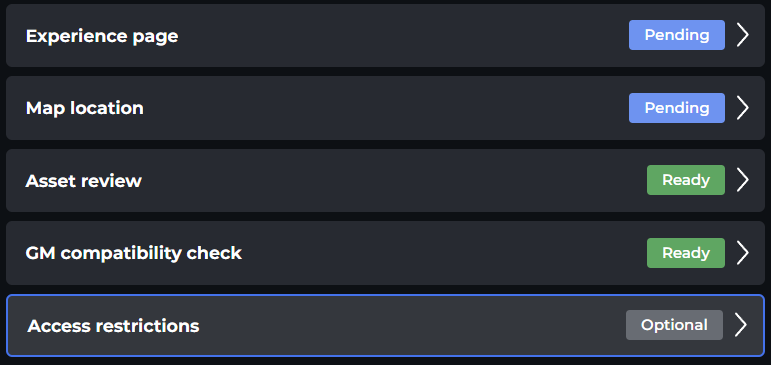
Click on the **Access Restrictions** button in the left menu of the [**Experience Manager**](/en/creator/game-maker/publish-experiences/experience-manager.md). Note the status is shown for the Access Restrictions in the Manager.
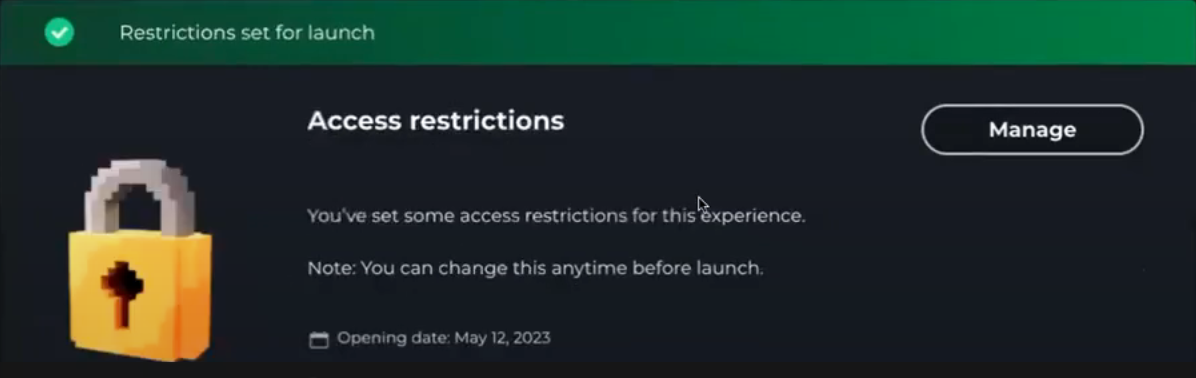
Press the **Manage** button in the details window to open it.
## User Interface
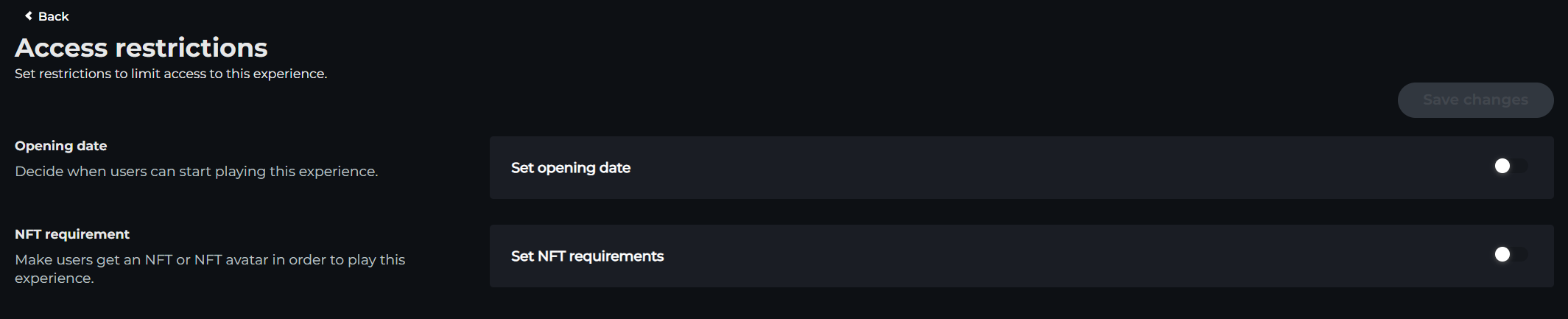
### Opening Date
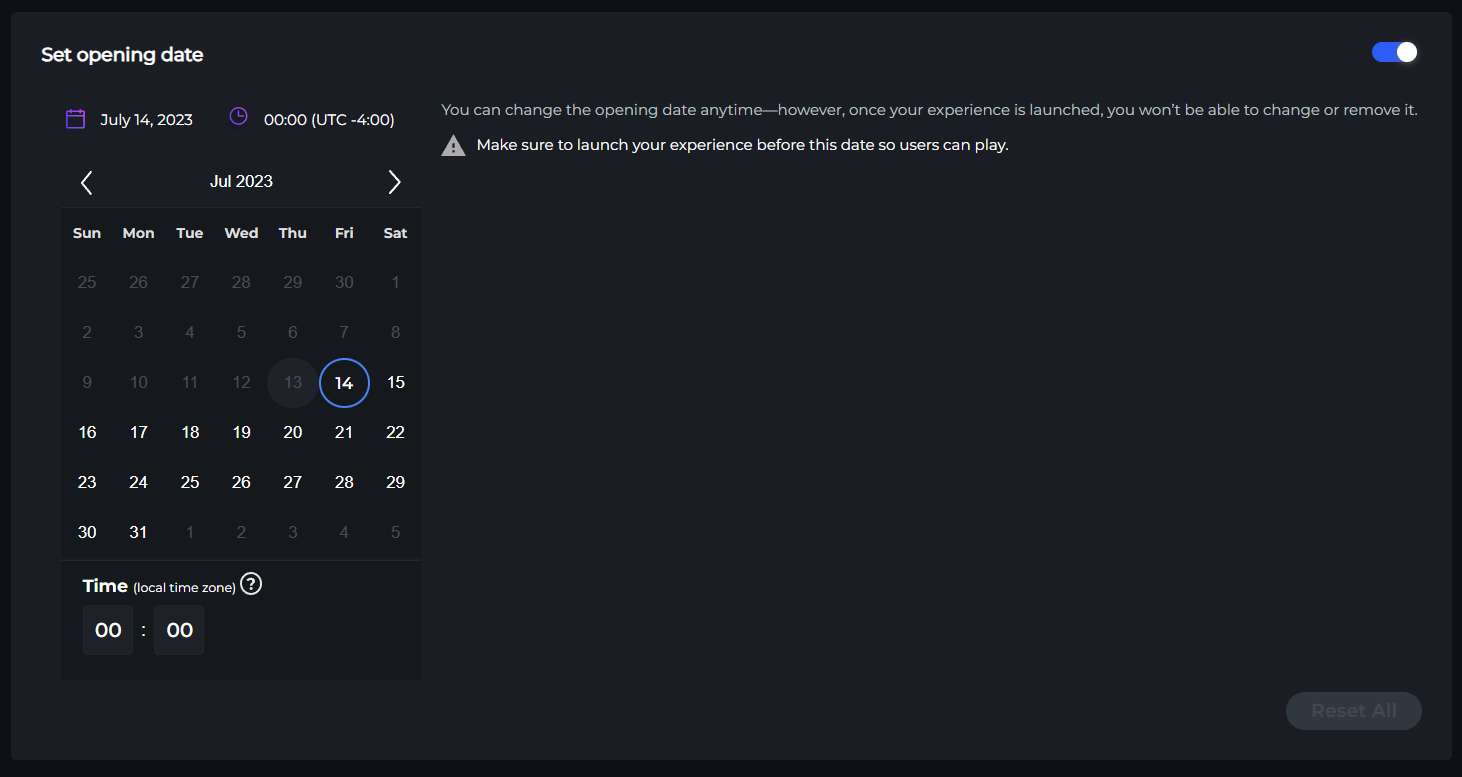
In this section, you can set the opening date for your Experience to be playable. This can be set in the future, which automatically activates the **Play** button on your [**Experience Page**](/en/creator/game-maker/publish-experiences/experience-manager/experience-page.md).
Clicking on the **Opening Date** button will open a calendar tool to select the date and time you prefer, based on your time zone.
{% hint style="warning" %}
By default, your Experience has an opening date set to **Same Day as Launch** and **open to everyone**. If you **request early access** using the link in the Experience Manager, you can choose an earlier date in this panel and save changes.
{% endhint %}
### NFT Requirement
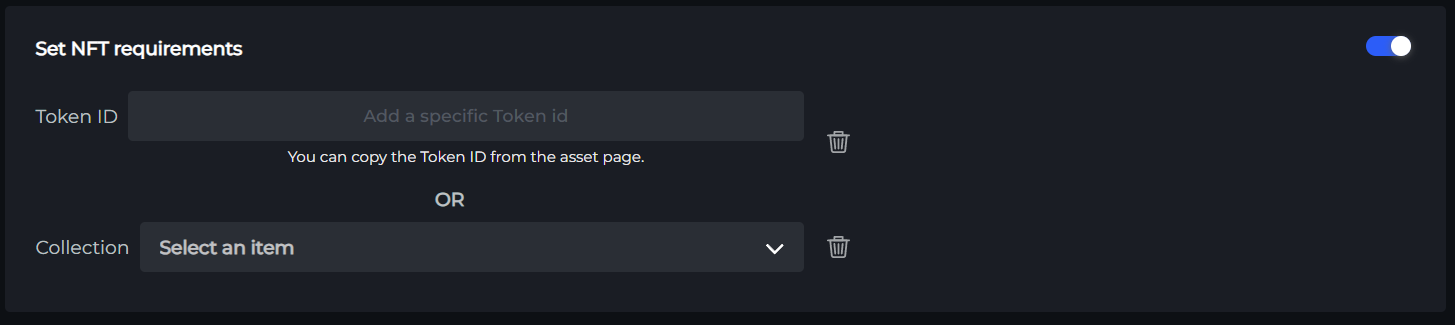
Clicking the **NFT Restricted Access** button will allow you to enter a Token ID for a specific NFT the player must own to access the Experience **OR** choose a collection from the available list to indicate the player must own an NFT within it. This feature is also referred to as *NFT Gating*.
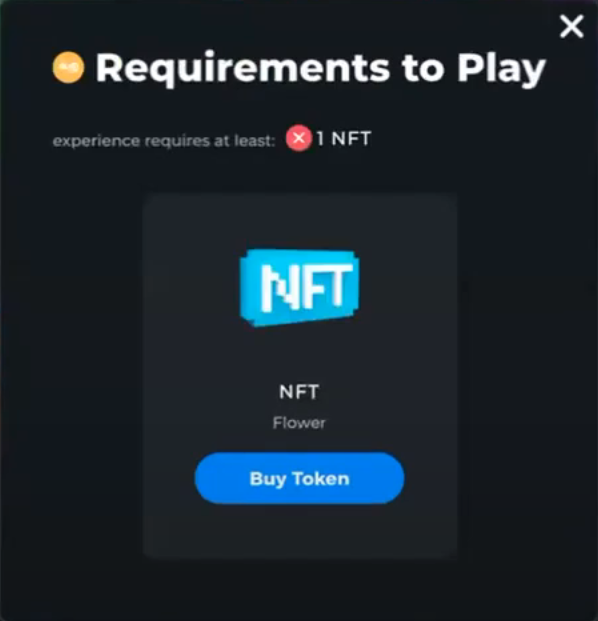
If an NFT Requirement is set, the [**Experience Page**](/en/creator/game-maker/publish-experiences/experience-manager/experience-page.md) will show a **See Requirements** button instead of a **Play** button, which will open a window to give players more information and direct links to purchase the required tokens to enter.
{% content-ref url="/pages/fPFKlovdJ6aKxet8Yo2f" %}
[FAQs: Experience Publishing](/en/creator/game-maker/publish-experiences/faqs-experience-publishing.md)
{% endcontent-ref %}
---
# Agent Instructions
This documentation is published with GitBook. GitBook is the documentation platform designed so that both humans and AI agents can read, navigate, and reason over technical content effectively. Learn more at gitbook.com.
## Querying This Documentation
If you need additional information that is not directly available in this page, you can query the documentation by asking a question.
Perform an HTTP GET request on the following URL with the `ask` and `goal` query parameters:
```
GET https://docs.sandbox.game/en/creator/game-maker/publish-experiences/experience-manager/access-restrictions.md?ask=&goal=
```
`ask` is the immediate question: it should be specific, self-contained, and written in natural language.
`goal` is what the user is ultimately trying to achieve, the reason they need the answer. Sharing it helps GitBook give you a better, more relevant answer. A goal is most helpful when it describes the outcome the user wants rather than restating the question. For example, with `ask=how do I create an API token`, a goal like `automate deployments from our CI pipeline` lets GitBook tailor the answer to that use case.
The response will contain a direct answer to the question and relevant excerpts and sources from the documentation.
Use this mechanism when the answer is not explicitly present in the current page, you need clarification or additional context, or you want to retrieve related documentation sections.