> For the complete documentation index, see [llms.txt](https://docs.sandbox.game/en/llms.txt). Markdown versions of documentation pages are available by appending `.md` to page URLs; this page is available as [Markdown](https://docs.sandbox.game/en/creator/game-maker/publish-experiences/experience-manager/map-location.md).
# Map Location
Use the Map Location tool to link your Experiences to virtual LANDs so your descriptive content from your Experience Page can be seen on the metaverse map.
## Ready to Connect Your LAND to Your Experience?
Your Experience needs an address in order for players in the metaverse to visit. This tool allows you to link one or more LAND NFTs you own with an Experience you have created. If you need to purchase a LAND, visit [**sandbox.game**](https://www.sandbox.game/en/) for news about active LAND Sales or visit the [**metaverse Map**](https://www.sandbox.game/en/map/) to find LAND for sale on secondary marketplaces such as OpenSea.
{% hint style="warning" %}
For the first version of this tool, you can only link a 1x1 Experience to a 1x1 LAND or link a 1x1 or larger Experience to LANDs in an Estate. You are not able to rotate the Experience within an Estate yet. More flexibility for this tool is in development.
{% endhint %}
{% hint style="warning" %}
Create an [**Experience Page**](/en/creator/game-maker/publish-experiences/experience-manager/experience-page.md) with text and media about your Experience, which will appear as details when users discover your Experience via the Map. For specific details, see the [**Content Guide**](/en/creator/game-maker/publish-experiences/experience-manager/experience-page/content-guide.md).
{% endhint %}
## Open the Map Location Selector
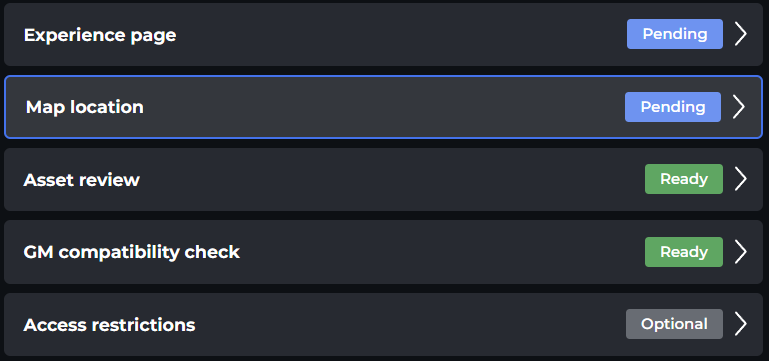
Click on the **Map Location** button in the left menu of the [**Experience Manager**](/en/creator/game-maker/publish-experiences/experience-manager.md). Note the status is shown for the Map Location in the Manager.
Press the **Manage** button in the details panel to open it.
## User Interface
Choose between LANDs or ESTATEs you own in the *same wallet* associated with your account at The Sandbox. If you own many LANDs, you can use filters to find a LAND more quickly in this tool.
### 1x1 Experiences
Select the LAND you want to link to your Experience and click **Choose**.
### Experiences Larger than 1x1
For the early version of this tool, Experiences larger than a single LAND must be linked to available space in an Estate and can NOT be rotated.
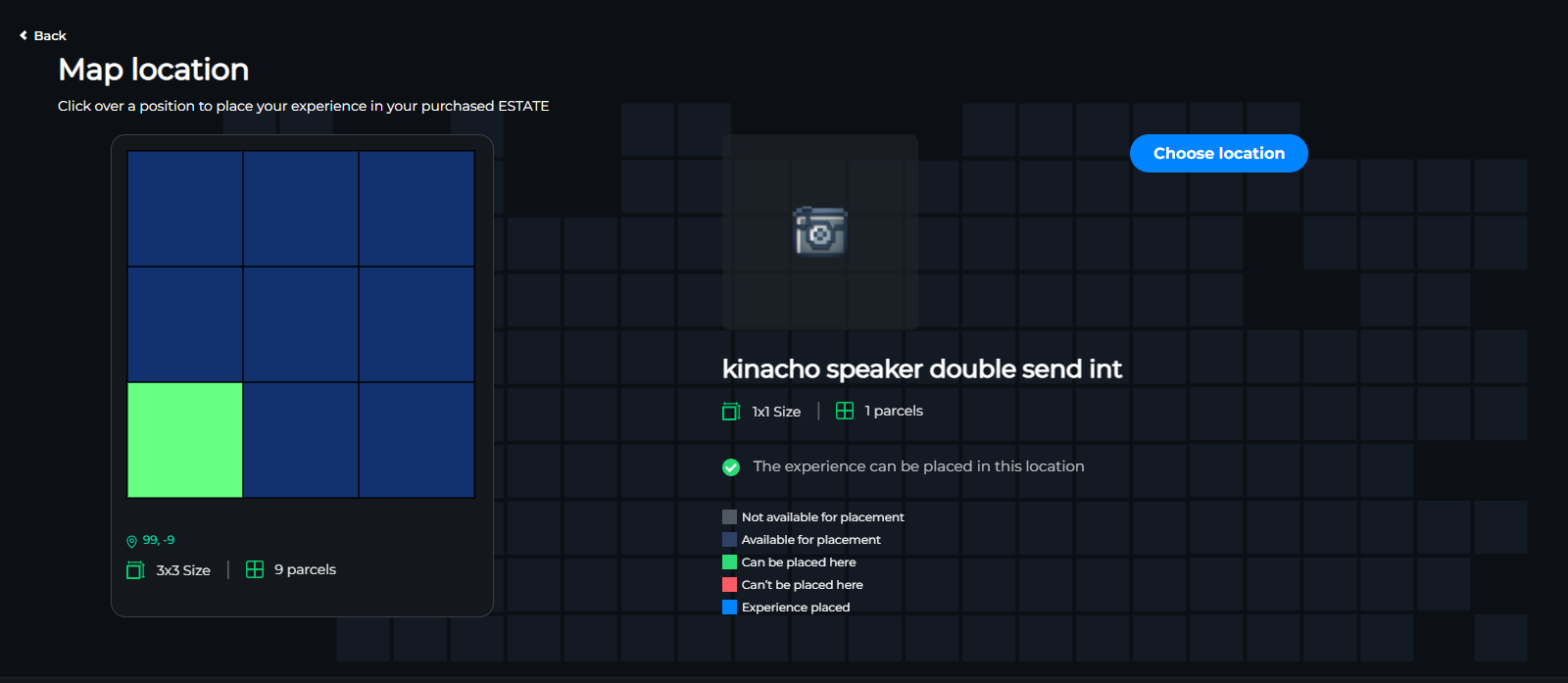
Hover your mouse over a grid matching your Estate size. If another Experience has already been published to some of your Estate's LANDs, the Experience shape will appear in red.
Click on an available space in green that fits your Experience shape. Click on the **Choose Location** button to link your Experience to the selected LANDs in your Estate.
{% content-ref url="/pages/fPFKlovdJ6aKxet8Yo2f" %}
[FAQs: Experience Publishing](/en/creator/game-maker/publish-experiences/faqs-experience-publishing.md)
{% endcontent-ref %}
---
# Agent Instructions
This documentation is published with GitBook. GitBook is the documentation platform designed so that both humans and AI agents can read, navigate, and reason over technical content effectively. Learn more at gitbook.com.
## Querying This Documentation
If you need additional information that is not directly available in this page, you can query the documentation by asking a question.
Perform an HTTP GET request on the following URL with the `ask` and `goal` query parameters:
```
GET https://docs.sandbox.game/en/creator/game-maker/publish-experiences/experience-manager/map-location.md?ask=&goal=
```
`ask` is the immediate question: it should be specific, self-contained, and written in natural language.
`goal` is what the user is ultimately trying to achieve, the reason they need the answer. Sharing it helps GitBook give you a better, more relevant answer. A goal is most helpful when it describes the outcome the user wants rather than restating the question. For example, with `ask=how do I create an API token`, a goal like `automate deployments from our CI pipeline` lets GitBook tailor the answer to that use case.
The response will contain a direct answer to the question and relevant excerpts and sources from the documentation.
Use this mechanism when the answer is not explicitly present in the current page, you need clarification or additional context, or you want to retrieve related documentation sections.