> For the complete documentation index, see [llms.txt](https://docs.sandbox.game/en/llms.txt). Markdown versions of documentation pages are available by appending `.md` to page URLs; this page is available as [Markdown](https://docs.sandbox.game/en/creator/voxedit/creative-guides/art-techniques/asset-references.md).

# Asset References

## Where to Start

You may have an idea in your head of what you want a new asset to look like, but creating a moodboard or a collection of references can still help refine your ideas and reach a great outcome more quickly.

<figure><img src="/files/TS48L6YBRj3EGB6sMyHJ" alt=""><figcaption></figcaption></figure>

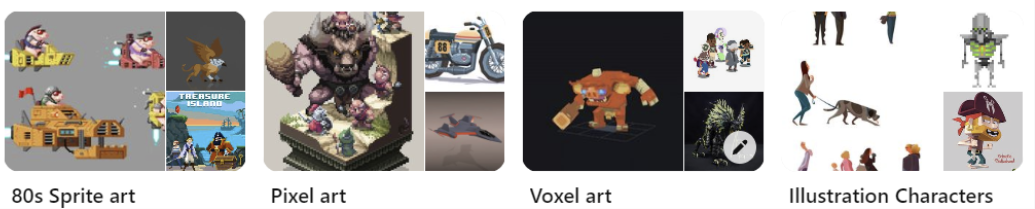
<table data-view="cards"><thead><tr><th></th></tr></thead><tbody><tr><td>Seek a variety of art styles for inspiration.</td></tr><tr><td>Look for image references for shape, color, light, shadow, poses, motion, utility, etc.</td></tr><tr><td>Use a variety of media for inspiration, including photos, illustrations, LEGOs, pixel art, etc.</td></tr></tbody></table>

Review selections to identify key elements to emphasize on a smaller voxel scale.

**Example:**

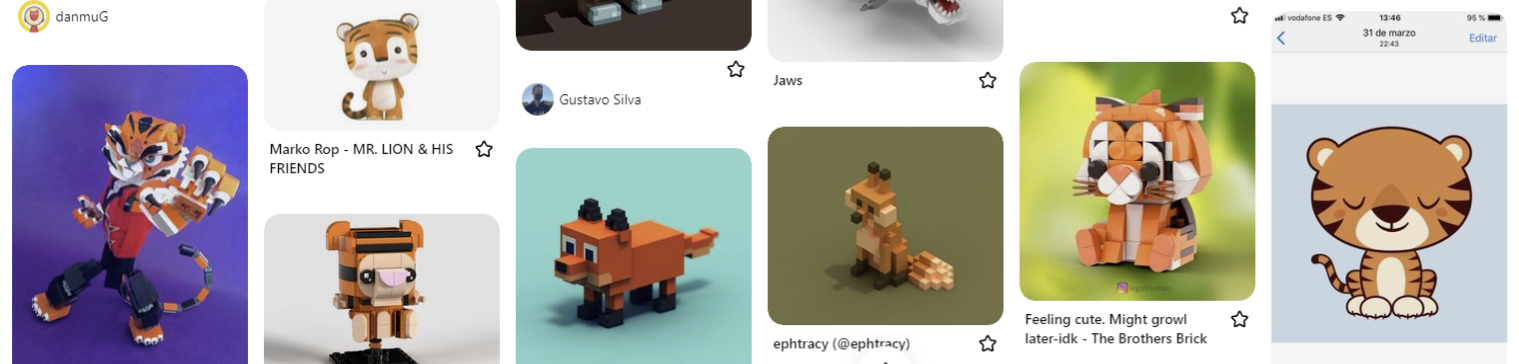
Common main features of tigers and similar creatures in the Pinterest board below include stripes, ears, a nose/snout, and tail.

<figure><img src="/files/uXXWkVzum5GVVqjFue7S" alt=""><figcaption></figcaption></figure>

## Translating to Voxel Assets

<table data-view="cards"><thead><tr><th></th></tr></thead><tbody><tr><td>Aim for a recognizable and unique design</td></tr><tr><td>Determine if a template or other asset you’ve made will help save time</td></tr><tr><td>Use the most interesting reference and work it in VoxEdit until it feels alive</td></tr><tr><td>Build key elements consistent across your references into your design</td></tr><tr><td>Test to ensure it is recognizable from any distance (adjust color, light, shadow, and shape)</td></tr><tr><td>Aim for efficiency in face count and node count for better game performance</td></tr><tr><td>Ask this important question: Is this the best design possible?</td></tr></tbody></table>

**Example:**

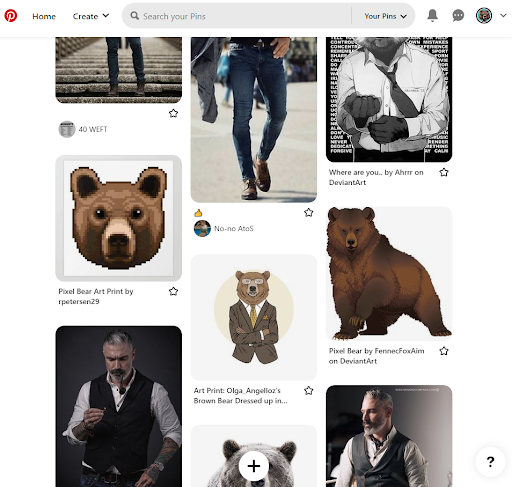
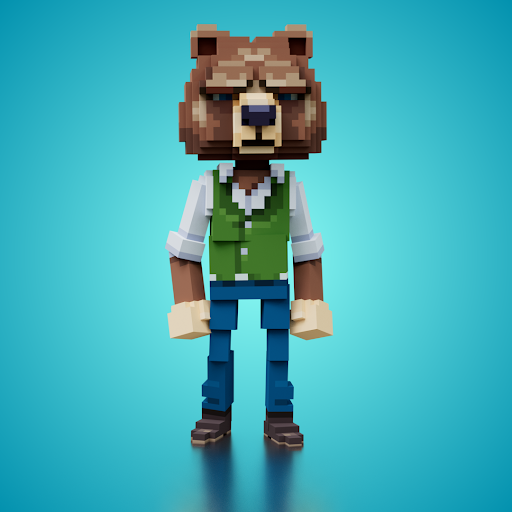
The most recognisable bear face in the mood board and references of men in suits serve as inspiration for the final result on the right.

<div><figure><img src="/files/h9AIsES4kq8Yp4EyuPAK" alt=""><figcaption><p>Moodboard of references made on Pinterest</p></figcaption></figure> <figure><img src="/files/OgkFWrR4skErtsefDAgU" alt=""><figcaption><p>Final result made in VoxEdit, rendered</p></figcaption></figure></div>


---

# Agent Instructions
This documentation is published with GitBook. GitBook is the documentation platform designed so that both humans and AI agents can read, navigate, and reason over technical content effectively. Learn more at gitbook.com.

## Querying This Documentation
If you need additional information that is not directly available in this page, you can query the documentation dynamically by asking a question.

Perform an HTTP GET request on the current page URL with the `ask` query parameter, and the optional `goal` query parameter:

```
GET https://docs.sandbox.game/en/creator/voxedit/creative-guides/art-techniques/asset-references.md?ask=<question>&goal=<endgoal>
```

`ask` is the immediate question: it should be specific, self-contained, and written in natural language.
`goal` is optional and describes the broader end goal you are ultimately trying to accomplish on behalf of the user. GitBook uses it to tailor the answer towards what is most useful for that goal.

The response will contain a direct answer to the question and relevant excerpts and sources from the documentation.

Use this mechanism when the answer is not explicitly present in the current page, you need clarification or additional context, or you want to retrieve related documentation sections.