# Structure Component Parts

## Types

### Compound Asset - Animator

#### 🟡 Medium

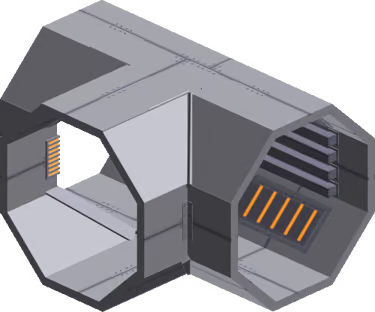
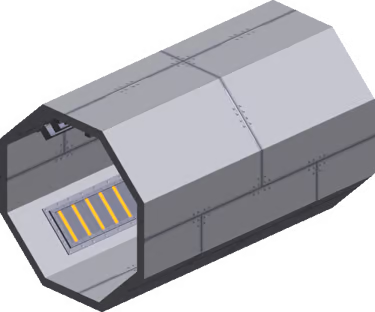
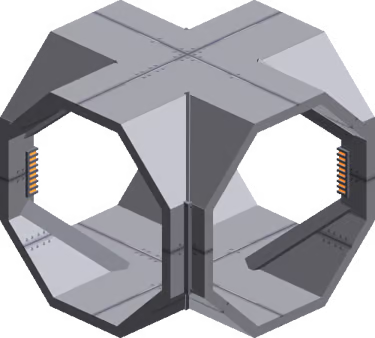
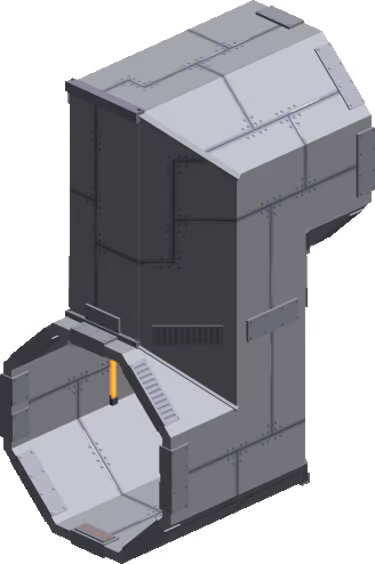
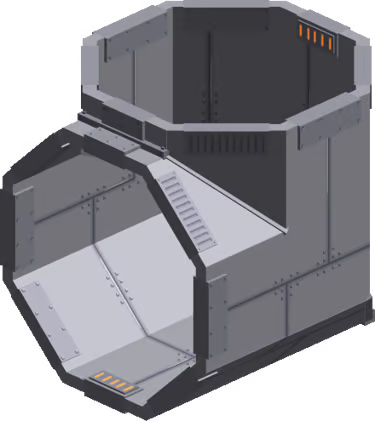
Example: Dugout Pipe set by Lululand World

<div><figure><img src="/files/nIm5nyTGXMPRLdgYHPjU" alt=""><figcaption><p><a href="https://www.sandbox.game/en/assets/dugout-pipe-t/102e15ef-cad9-4abe-acfd-ccecc9670632/">Dugout Pipe T</a></p></figcaption></figure> <figure><img src="/files/nvnjLnE4QaPymBu6jEmV" alt=""><figcaption><p><a href="https://www.sandbox.game/en/assets/dugout-8m/f064a403-8a93-4f18-a8b1-369547129c6e/">Dugout 8m</a></p></figcaption></figure> <figure><img src="/files/bVTyl1u0QGuXCXho14y9" alt=""><figcaption><p><a href="https://www.sandbox.game/en/assets/dugout-pipe-crossroads/a952ec83-d67a-4870-a9b5-3c0365544ddd/">Dugout Pipe Crossroads</a></p></figcaption></figure> <figure><img src="/files/lML05mmS5ISPKK8yFzD6" alt=""><figcaption><p><a href="https://www.sandbox.game/en/assets/dugout-pipe-d/9a9bca5d-28d3-4c78-85f7-c542538e6e54/">Dugout Pipe D</a></p></figcaption></figure> <figure><img src="/files/Q7A1D7PeG7rLr7U7Ll1k" alt=""><figcaption><p><a href="https://www.sandbox.game/en/assets/dugout-pipe-b/4cf5b9d2-409c-4c26-bcbf-99f63d90610f/">Dugout Pipe B</a></p></figcaption></figure></div>

<table data-header-hidden><thead><tr><th width="570"></th></tr></thead><tbody><tr><td><p>ABOUT</p><ul><li>Modular Asset for flexible use, sometimes built with entry points for players</li></ul><p>PROS</p><ul><li>Your intended structure is one of many variations that can be built with the pieces</li></ul><p>CONS</p><ul><li>Must use the same color palette to match</li><li>Z-fighting is possible where component parts join together</li></ul></td></tr></tbody></table>

## Notes

Use common angles (30, 45, 60, 90, etc) for easier assembly in Game Maker and note it in the Asset description. Use a common naming convention for a set of Assets with a matching style so they're easy to find.

Test to ensure the pivot points of all Assets are well positioned for a level designer to easily place the Assets together in Game Maker.

Depending on the level designer's plans, these Assets may be used for a smaller detail or a huge structure with an unusual shape. Plan colouring to avoid Z-fighting for maximum flexibility of use.

## Recommended Workflow

Determine the shape of the whole design you wish to build and break down the idea into parts based on what functionality is needed, how it can be reused, and how the pieces will interlock or overlap. Create a new project in the Animator and add a Control node in the skeleton on the left. For each Asset in the design, follow the workflow below:

1. Create a new VXM in the Library and open it in the Modeler.
2. Create a 3D "sketch" of your Asset as this Model. Modify the collision boundary, create your asset, adjust the pivot point, and trim the volume. Save and exit the Model, then drag and drop it into the node you created.
3. Use the "sketch" Model to guide the shape of your rig. You can select voxels and choose "Save Selected Voxels" from the Edit menu to create new Models or create new ones in the Library. Trim, adjust the pivot point, and position Models you create into a skeleton of nodes in the Animator. Keep the total faces below 5,000 and nodes below 175.

{% hint style="success" %}
**QUALITY & PERFORMANCE**

Follow [Quality Guidelines](/en/creator/voxedit/docs/ve-guidelines.md) to make the best version of your Asset.
{% endhint %}


---

# Agent Instructions: Querying This Documentation

If you need additional information that is not directly available in this page, you can query the documentation dynamically by asking a question.

Perform an HTTP GET request on the current page URL with the `ask` query parameter:

```
GET https://docs.sandbox.game/en/creator/voxedit/creative-guides/asset-guide/structures-and-landmarks/structure-component-parts.md?ask=<question>
```

The question should be specific, self-contained, and written in natural language.
The response will contain a direct answer to the question and relevant excerpts and sources from the documentation.

Use this mechanism when the answer is not explicitly present in the current page, you need clarification or additional context, or you want to retrieve related documentation sections.