# Visual Quality

## Colour

{% tabs %}
{% tab title="About" %}
Colour in The Sandbox is a powerful tool to add complexity to simple blocky surfaces through texturing techniques. It can be used to create a sense of depth on flat surfaces with light and shadow.

It can even create a sense of light when the emissive light mode is toggled on for any colour in the palette.
{% endtab %}

{% tab title="Test Emissive Colour" %}

### Emissive Colour Differences

{% hint style="warning" %}
**TEST ASSETS IN GAME MAKER**

Colour and emissive glow may appear different between VoxEdit, the Marketplace, and in the game world of Game Maker and the Game Client. The game world is where emissive colour appearance matters most.
{% endhint %}

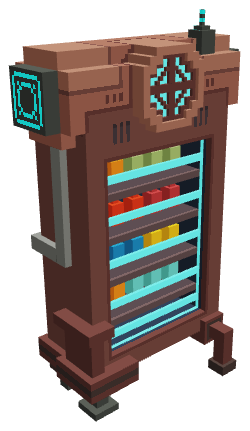
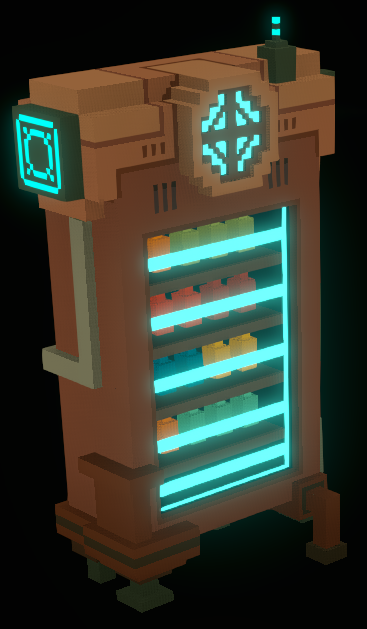
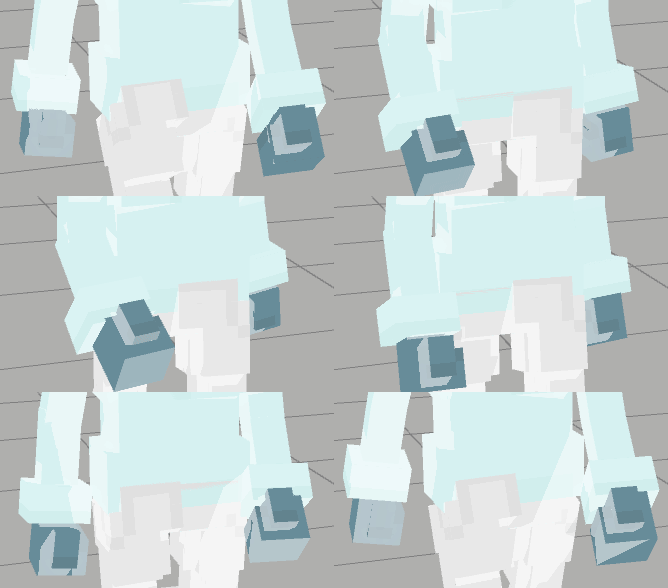
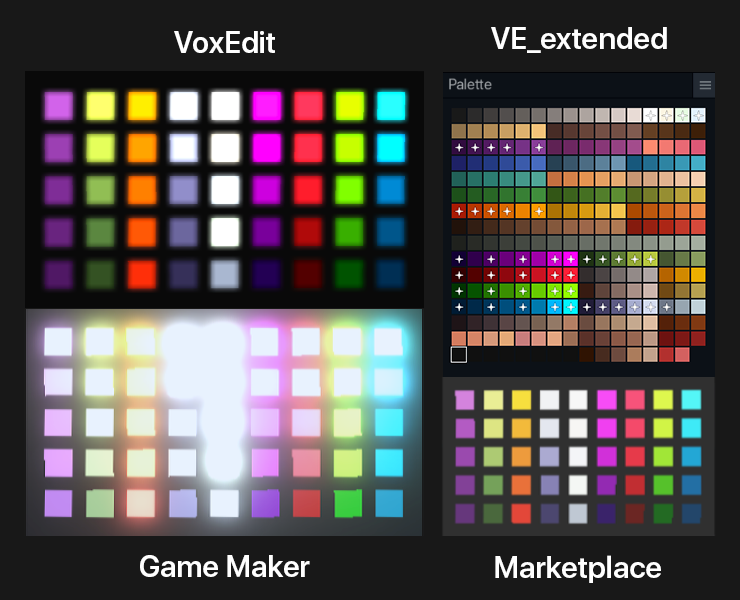
Below is a comparison of how some colours and emissive glow will appear in different software of The Sandbox ecosystem.

<figure><img src="https://s3.amazonaws.com/com.appolearning.files/production/uploads/uploaded_file/b4f34cdb-e75d-4292-8825-e34c78de0fe9/EmissionTest_VE_extended__1_.png" alt="" width="375"><figcaption><p>Our platforms handle light differently. Aim for the desired result in Game Maker.</p></figcaption></figure>

**Example:**

<div><figure><img src="https://content.gitbook.com/content/83PS3g9zpWmq73xzlwFn/blobs/wY3oJX1TsFj5pVVv2GdN/gm%20asset%20light%20sample.png" alt="" width="188"><figcaption><p>Marketplace<br>light emission not seen</p></figcaption></figure> <figure><img src="https://content.gitbook.com/content/83PS3g9zpWmq73xzlwFn/blobs/J6U6ffJN7n1UaX1gr6Ps/gm%20vending%20machine%20no%20light.png" alt="" width="184"><figcaption><p>Game Maker &#x26; Game Client<br>light emission visible</p></figcaption></figure></div>
{% endtab %}

{% tab title="Consider Light Behaviour in Game Maker" %}

### New Light Behaviour in the Game Engine

Game Maker has new Light behaviour that affects the way assets appear depending on color, intensity, and other settings of the behaviour.

**Example:**


The image below exemplifies how some light colours in an Experience may impact the appearance of an asset.

<figure><img src="https://content.gitbook.com/content/83PS3g9zpWmq73xzlwFn/blobs/QpNYKqvRp6bVv95W16Hx/gm%20vending%20machine%20light.webp" alt="" width="184"><figcaption><p>Game Maker &#x26; Game Client<br>light emission &#x26; light behaviour</p></figcaption></figure>

Since the emissive colours in an asset do not shine light on the blocks or assets around it in the game engine, Experience builders may use light behaviour to create a point or spot light to enhance your asset to feel like a more natural part of the scene.
{% endtab %}
{% endtabs %}

## 3D Design

{% tabs %}
{% tab title="About" %}
The shape of your models has significant impact on the performance and quality of your assets, whether they are simple, compound, or animated.

Voxel art in The Sandbox is a combination of blocky shape and texture, optimised to create attractive and efficient assets that offer greater flexibility to Experience creators.

Below are recommended techniques to not only keep your assets within [](https://docs.sandbox.game/en/creator/voxedit/docs/ve-guidelines "mention"), but design them well within maximum recommendations with a more attractive, recognisable result.

### Recommended Techniques

[optimize-with-texture](https://docs.sandbox.game/en/creator/voxedit/creative-guides/art-techniques/3d-design/optimize-with-texture "mention")

[curved-edges-blocky-style](https://docs.sandbox.game/en/creator/voxedit/creative-guides/art-techniques/3d-design/curved-edges-blocky-style "mention")

[circular-shapes-cross-technique](https://docs.sandbox.game/en/creator/voxedit/creative-guides/art-techniques/3d-design/circular-shapes-cross-technique "mention")

[create-smooth-angled-lines](https://docs.sandbox.game/en/creator/voxedit/creative-guides/art-techniques/3d-design/create-smooth-angled-lines "mention")

[break-down-objects](https://docs.sandbox.game/en/creator/voxedit/creative-guides/art-techniques/3d-design/break-down-objects "mention")

[need-to-simplify](https://docs.sandbox.game/en/creator/voxedit/creative-guides/art-techniques/3d-design/need-to-simplify "mention")
{% endtab %}
{% endtabs %}

## Clipping

{% tabs %}
{% tab title="About" %}

### Clipping

**Problem:**

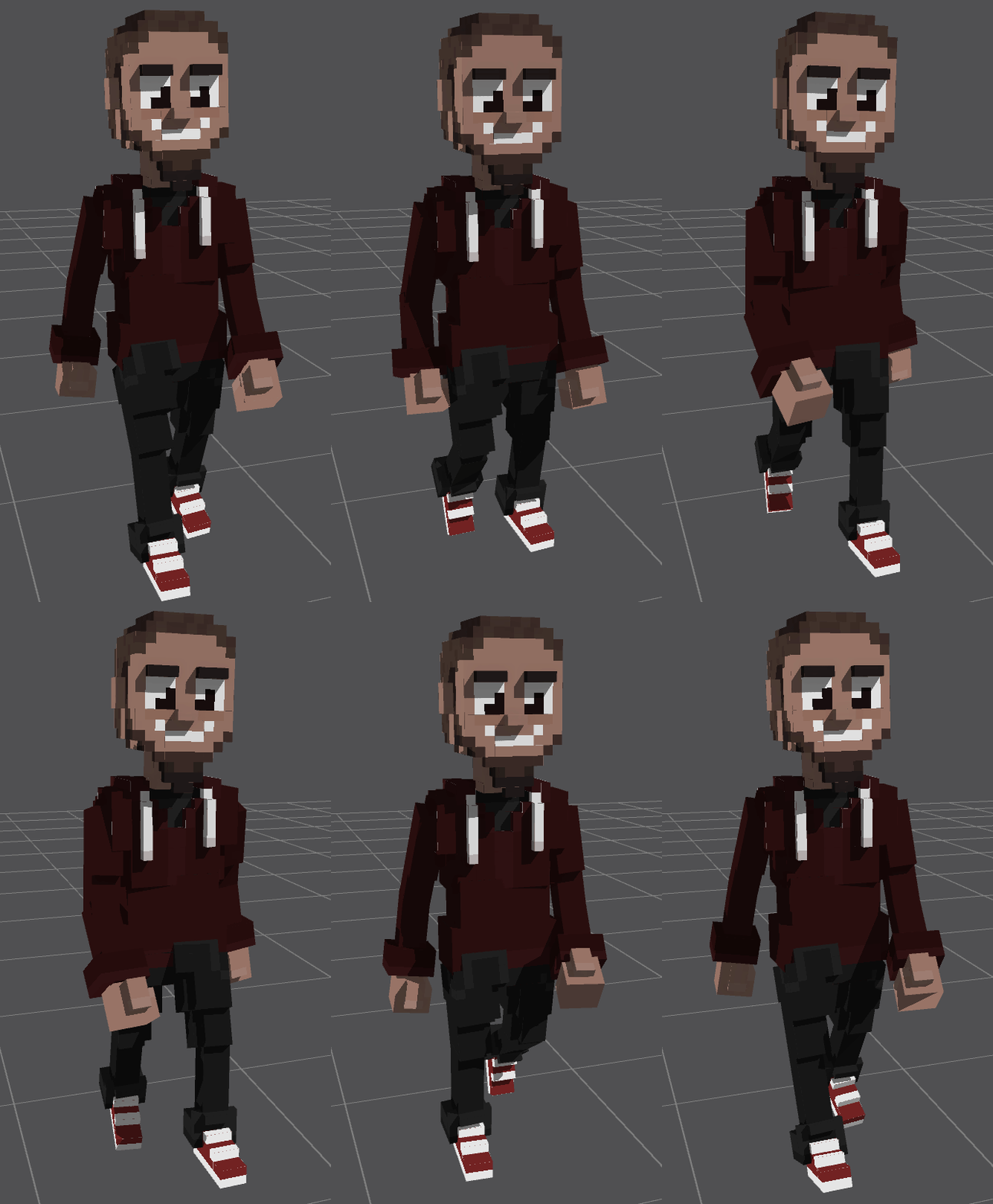
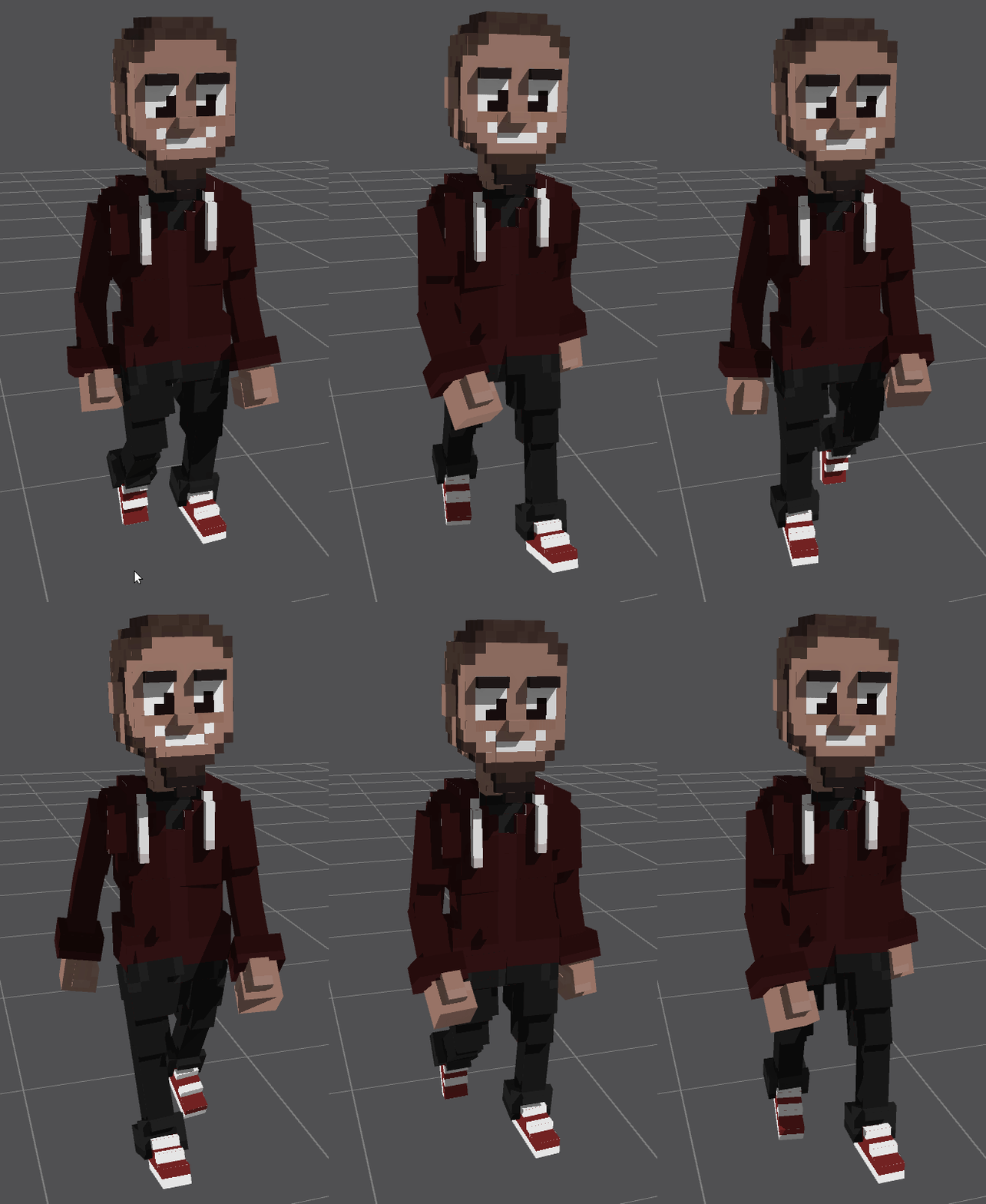
In some animations where the movement of a model overlaps another, some models may temporarily "clip" through others, which looks unnatural.

<div><figure><img src="https://content.gitbook.com/content/83PS3g9zpWmq73xzlwFn/blobs/GJDzJXKU5C0QhQ9HLRm6/wGRiCqlRy2.gif" alt="" width="223"><figcaption></figcaption></figure> <figure><img src="https://content.gitbook.com/content/83PS3g9zpWmq73xzlwFn/blobs/GsutbBwfr8zjC2CeSU4E/negative%20clipping.gif" alt=""><figcaption><p>Problem: The top of the black pants clip through the red hoodie</p></figcaption></figure></div>

**Solution:**

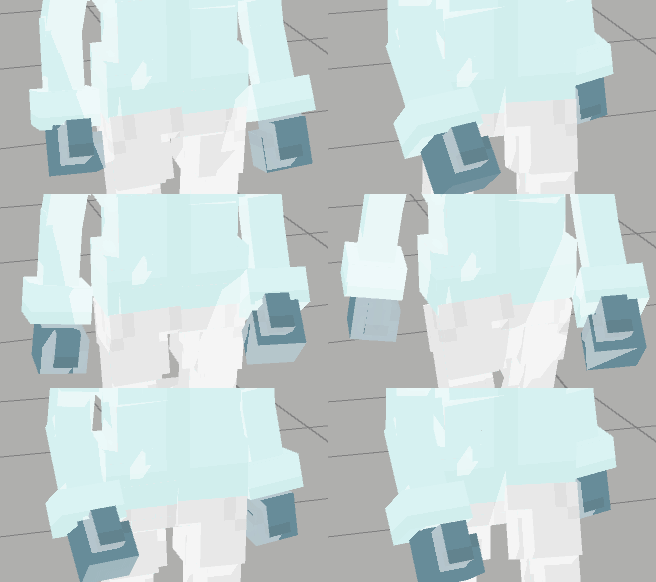
It is better to make the colors and textures of the overlapping parts as similar as possible to reduce the clipping effect.

<div><figure><img src="https://content.gitbook.com/content/83PS3g9zpWmq73xzlwFn/blobs/JYF7WMeaKSsSVlaHIb04/tYmXffKClQ.gif" alt="" width="220"><figcaption></figcaption></figure> <figure><img src="https://content.gitbook.com/content/83PS3g9zpWmq73xzlwFn/blobs/qtaJTuASohfPMwqsOfF9/negative%20clipping%20fix.gif" alt=""><figcaption><p>Solution: The top of the black pants match the red hoodie.</p></figcaption></figure></div>
{% endtab %}
{% endtabs %}

## Z-fighting

{% tabs %}
{% tab title="About" %}

### Z-fighting

**Problem:**

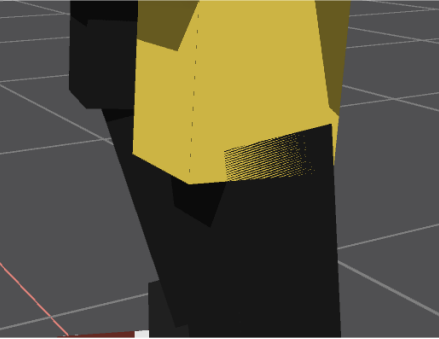
A visual defect called Z-fighting occurs when the faces of two models in an entity have different colours overlapping in the same location. See the image below.

<figure><img src="https://content.gitbook.com/content/83PS3g9zpWmq73xzlwFn/blobs/QOoWuwBkTW6xHPKfnIjY/image.png" alt=""><figcaption></figcaption></figure>

{% hint style="warning" %}
Z-fighting can appear in static and animated entities, so it's best to inspect every animation's poses and motion carefully to check for this defect.
{% endhint %}

**Solutions:**

1. Set the colours in the overlapping areas of each model to be the same.
2. Add or delete voxels from one of the models so the faces don't overlap.\
   Note: This does not always look good and can leave unnatural gaps in animations.
3. Move one of the models about 0.2 voxels in any direction, so there is no longer overlap at the same exact location.

Experiment with these solutions and pick the most suitable option depending on the unique entity you're fixing.

![](https://content.gitbook.com/content/83PS3g9zpWmq73xzlwFn/blobs/vB1EFRqO2ZxeVmCu81PP/image.png)
{% endtab %}
{% endtabs %}


---

# Agent Instructions: Querying This Documentation

If you need additional information that is not directly available in this page, you can query the documentation dynamically by asking a question.

Perform an HTTP GET request on the current page URL with the `ask` query parameter:

```
GET https://docs.sandbox.game/en/creator/voxedit/docs/ve-guidelines/visual-quality.md?ask=<question>
```

The question should be specific, self-contained, and written in natural language.
The response will contain a direct answer to the question and relevant excerpts and sources from the documentation.

Use this mechanism when the answer is not explicitly present in the current page, you need clarification or additional context, or you want to retrieve related documentation sections.