# Need to Simplify?

{% hint style="danger" %}
Most assets do not need to push the boundaries of The Sandbox Game's recommended guidelines. Strive for the most efficient design as much as possible, except for rare assets such as a kinetic art piece, where more elaborate detail adds value.
{% endhint %}

{% hint style="info" %}
Review [**VoxEdit Quality Guidelines** ](https://docs.sandbox.game/en/creator/voxedit/docs/ve-guidelines)for resources on making higher quality assets to avoid the need to simplify later.
{% endhint %}

## If You've Gone Beyond the [Recommended Limits](https://docs.sandbox.game/en/creator/docs/ve-guidelines#recommended-limits)

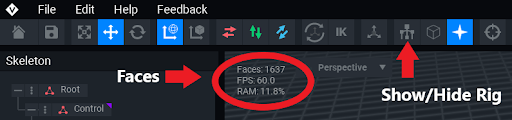
Don't start over! [**Make a copy of your asset**](https://docs.sandbox.game/en/creator/docs/ve-guidelines#cleanly-duplicate-a-project) so you can try a few ideas below to simplify the design. View the face count and show the rig to find opportunities to simplify your asset.

<figure><img src="https://content.gitbook.com/content/83PS3g9zpWmq73xzlwFn/blobs/szK7ytYlfbapQuHapLCm/face%20count.png" alt=""><figcaption><p>VoxEdit Animator: Check face count and show/hide rig to view the node structure for ways to simplify</p></figcaption></figure>

You can improve your asset by reducing the face count and node count, but it may be difficult to decide where to begin. The suggestions below will help you find where adjustments can be made.

### Reduce 3D Geometry, Add 2D Texture

The easiest way to optimize is to reduce the amount of 3D extrusions and add detail and depth with 2D texturing. Learn more:

{% content-ref url="optimize-with-texture" %}
[optimize-with-texture](https://docs.sandbox.game/en/creator/voxedit/creative-guides/art-techniques/3d-design/optimize-with-texture)
{% endcontent-ref %}

### Look for "Noise" and Minimize

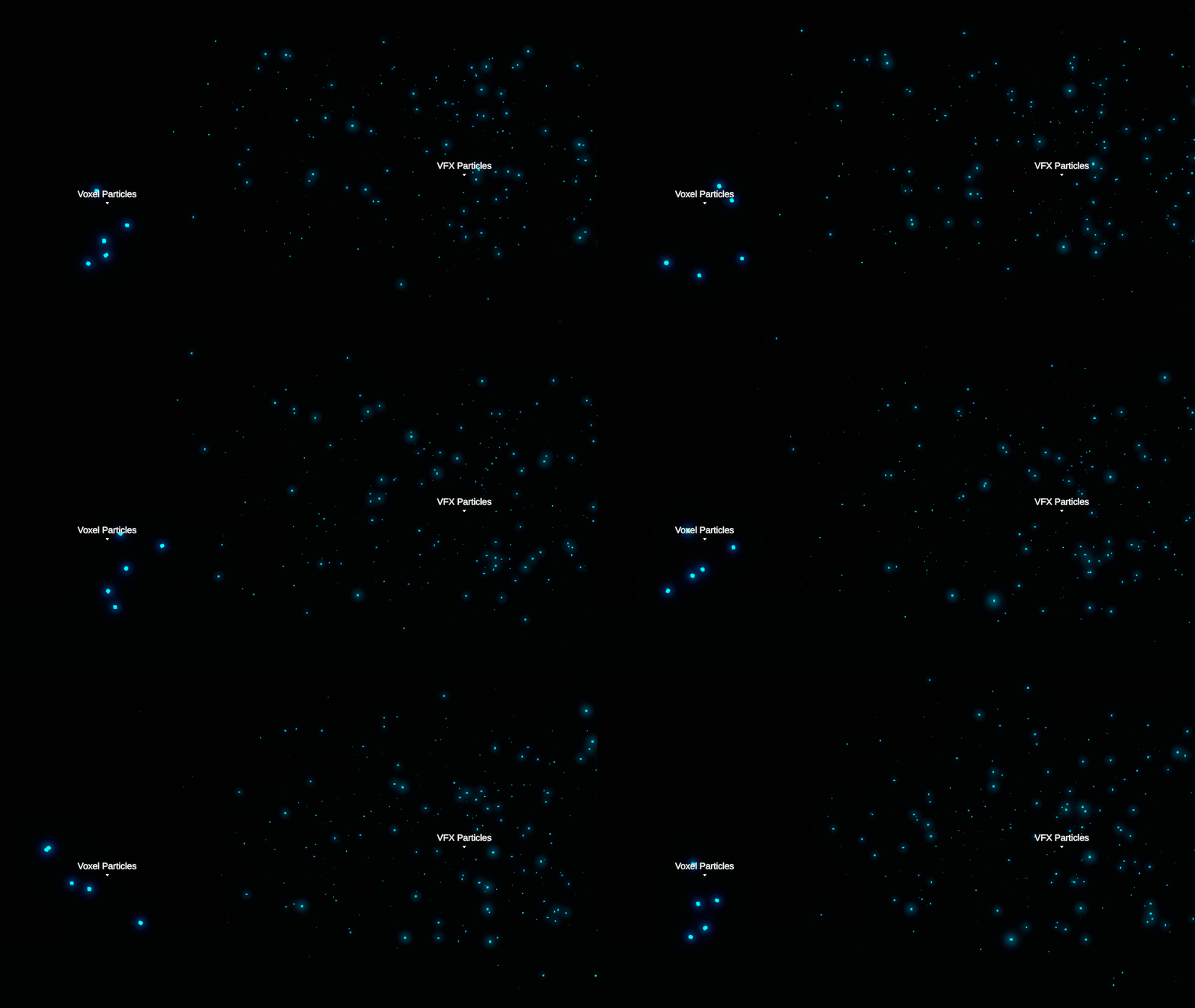
Particle effects with voxels should be very simple or not used at all.&#x20;

Every voxel that stands alone in your design adds 6 faces, which quickly adds up. They can also make your core design more difficult to see clearly through the noise.

{% hint style="warning" %}
**NOTE: VOXEL PARTICLES**

Game Maker now offers [**over 100 visual effects**](https://docs.sandbox.game/en/creator/game-maker/docs/components/display/visual-fx) that Experience builders can apply to objects and sometimes player Avatars.

Many VFX have customization options like color, size, motion, etc., which Experience creators will likely prefer to purchasing assets with voxel particles built in. However, a minimalist use of particles may improve aesthetics for some assets.
{% endhint %}

<figure><img src="https://content.gitbook.com/content/83PS3g9zpWmq73xzlwFn/blobs/iVDUht0dqyQwNd6dHtmr/voxel%20vs%20vfx%20particles.gif" alt=""><figcaption><p>Game Maker's VFX Behavior provides builders with over 100 customizable effects</p></figcaption></figure>

### Reduce Nodes by Combining Models on a Similar Grid

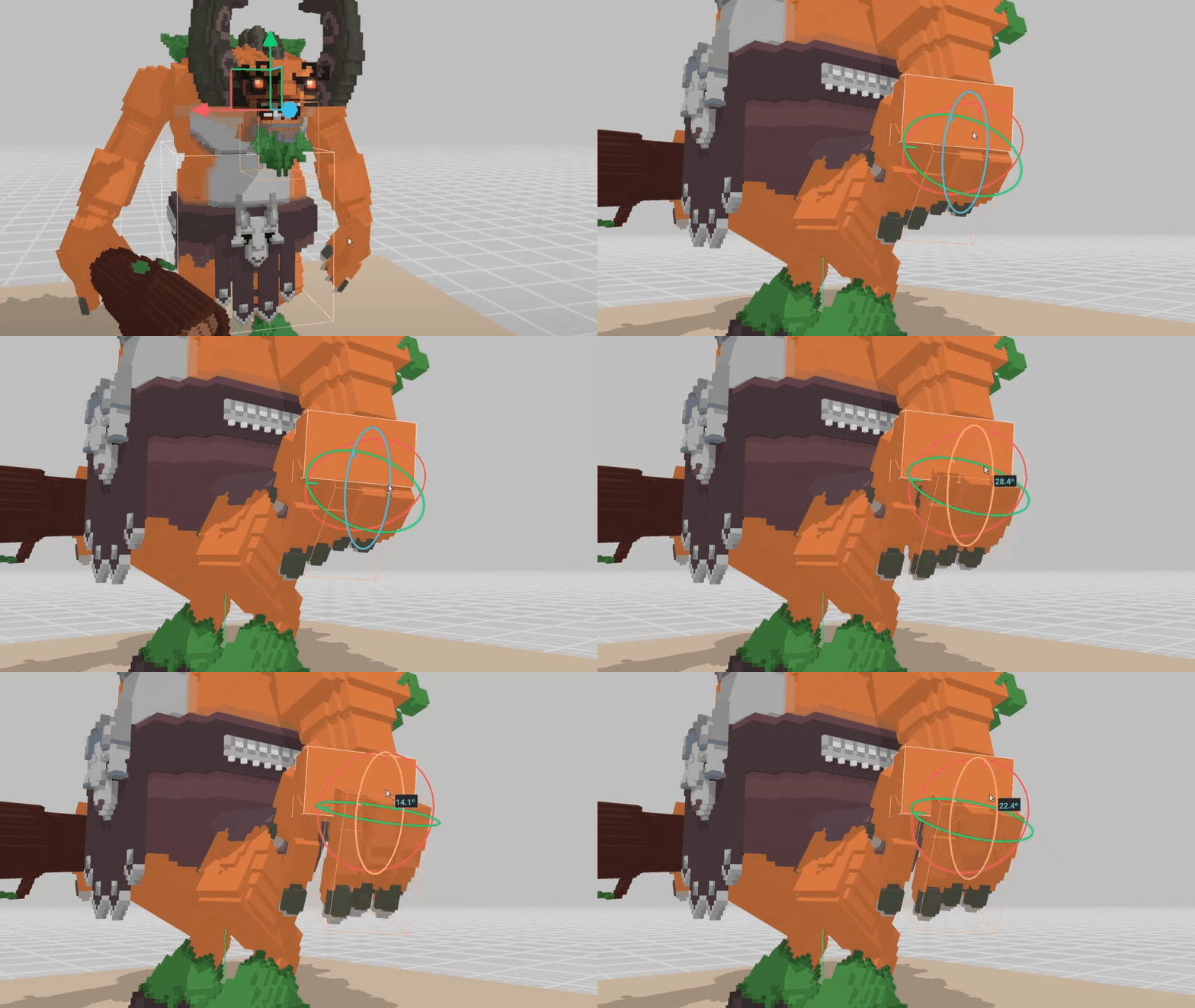
You don't need a separate model for every visible part of your design. If models will have similar motion and align to a similar grid, combine them into a single model and link it to one node.&#x20;

Vary the 3D depth of each visible part in the combined model to make it appear less simple.

<figure><img src="https://content.gitbook.com/content/83PS3g9zpWmq73xzlwFn/blobs/0QYyHof7sH1Jm3HrPwiu/combine%20nodes.gif" alt=""><figcaption></figcaption></figure>

### Reduce the Length of Animations and Number of Keyframes

Reducing the length of animations and number of keyframes also makes assets more efficient for gameplay because it reduces calculations needed.


---

# Agent Instructions: Querying This Documentation

If you need additional information that is not directly available in this page, you can query the documentation dynamically by asking a question.

Perform an HTTP GET request on the current page URL with the `ask` query parameter:

```
GET https://docs.sandbox.game/en/creator/voxedit/creative-guides/art-techniques/3d-design/need-to-simplify.md?ask=<question>
```

The question should be specific, self-contained, and written in natural language.
The response will contain a direct answer to the question and relevant excerpts and sources from the documentation.

Use this mechanism when the answer is not explicitly present in the current page, you need clarification or additional context, or you want to retrieve related documentation sections.