
 Frame tool in the VoxEdit Modeler's [Modeler](/en/creator/voxedit/docs/modeler.md#toolbar-1).
[Uploading](/en/creator/voxedit/upload-assets-to-workspaces.md) the asset to your Workspace maintains this special property and makes the asset available in your Game Maker library.
Frame tool in the VoxEdit Modeler's [Modeler](/en/creator/voxedit/docs/modeler.md#toolbar-1).
[Uploading](/en/creator/voxedit/upload-assets-to-workspaces.md) the asset to your Workspace maintains this special property and makes the asset available in your Game Maker library.
 [Image Display](/en/creator/game-maker/docs/components/nft/image-display.md)
*
[Image Display](/en/creator/game-maker/docs/components/nft/image-display.md)
*  [NFT Image Display](/en/creator/game-maker/docs/components/nft/nft-image-display.md)
{% hint style="info" %}
You must place a frame asset in Game Maker for these options to appear.
{% endhint %}
{% hint style="info" %}
To display a 2D NFT image in the rectangular display area of your frame asset, you must own an NFT in the same wallet that is connected to your account at The Sandbox, and it must exist on the Ethereum blockchain.
{% endhint %}
### NFT Information
The NFT Details Display component is often used on frame assets to provide marketplace information about the displayed media:
*  [NFT Details Display](/en/creator/game-maker/docs/components/nft/nft-details-display.md)
{% endtab %}
{% tab title="Specific Requirements" %}
### **Specific Requirements**
{% hint style="danger" %}
If these guidelines are not followed, the image may not display correctly, or the Game Maker may not recognize it as a proper frame asset and will not allow the display logic to be applied in Game Maker.
{% endhint %}
#### **Size & Ratio**
There is no limit on size or specific restrictions about ratio, but we recommend `16:9` or `1:1`. The logic to use the frame object will allow for resizing, stretching to fit, and repeating (tiling).
{% hint style="info" %}
If your image appears to be poor quality, it may be from stretching too large or in a ratio that doesn't suit the image. Create a new frame object or choose a different image.
{% endhint %}
#### **Dimensions: Even Values**
The model with the frame area must have a volume with **even dimensions.**
[NFT Image Display](/en/creator/game-maker/docs/components/nft/nft-image-display.md)
{% hint style="info" %}
You must place a frame asset in Game Maker for these options to appear.
{% endhint %}
{% hint style="info" %}
To display a 2D NFT image in the rectangular display area of your frame asset, you must own an NFT in the same wallet that is connected to your account at The Sandbox, and it must exist on the Ethereum blockchain.
{% endhint %}
### NFT Information
The NFT Details Display component is often used on frame assets to provide marketplace information about the displayed media:
*  [NFT Details Display](/en/creator/game-maker/docs/components/nft/nft-details-display.md)
{% endtab %}
{% tab title="Specific Requirements" %}
### **Specific Requirements**
{% hint style="danger" %}
If these guidelines are not followed, the image may not display correctly, or the Game Maker may not recognize it as a proper frame asset and will not allow the display logic to be applied in Game Maker.
{% endhint %}
#### **Size & Ratio**
There is no limit on size or specific restrictions about ratio, but we recommend `16:9` or `1:1`. The logic to use the frame object will allow for resizing, stretching to fit, and repeating (tiling).
{% hint style="info" %}
If your image appears to be poor quality, it may be from stretching too large or in a ratio that doesn't suit the image. Create a new frame object or choose a different image.
{% endhint %}
#### **Dimensions: Even Values**
The model with the frame area must have a volume with **even dimensions.**  **Examples**
* 64x64x2
* 120x40x6
#### Unanimated
**Do NOT animate the asset.** If motion is applied, the asset will not be saved as a frame asset.
#### Projection Note
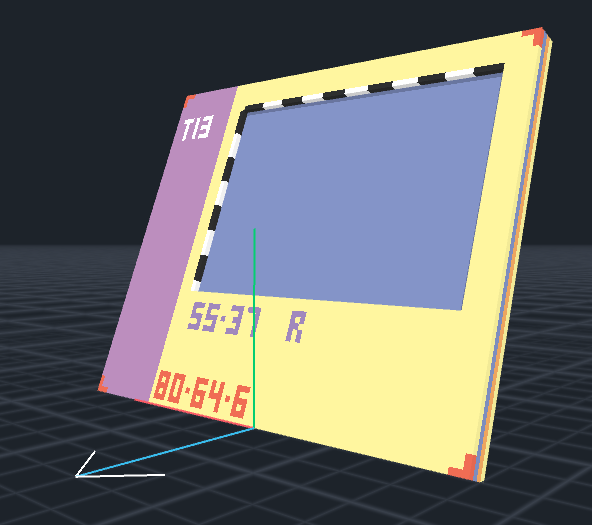
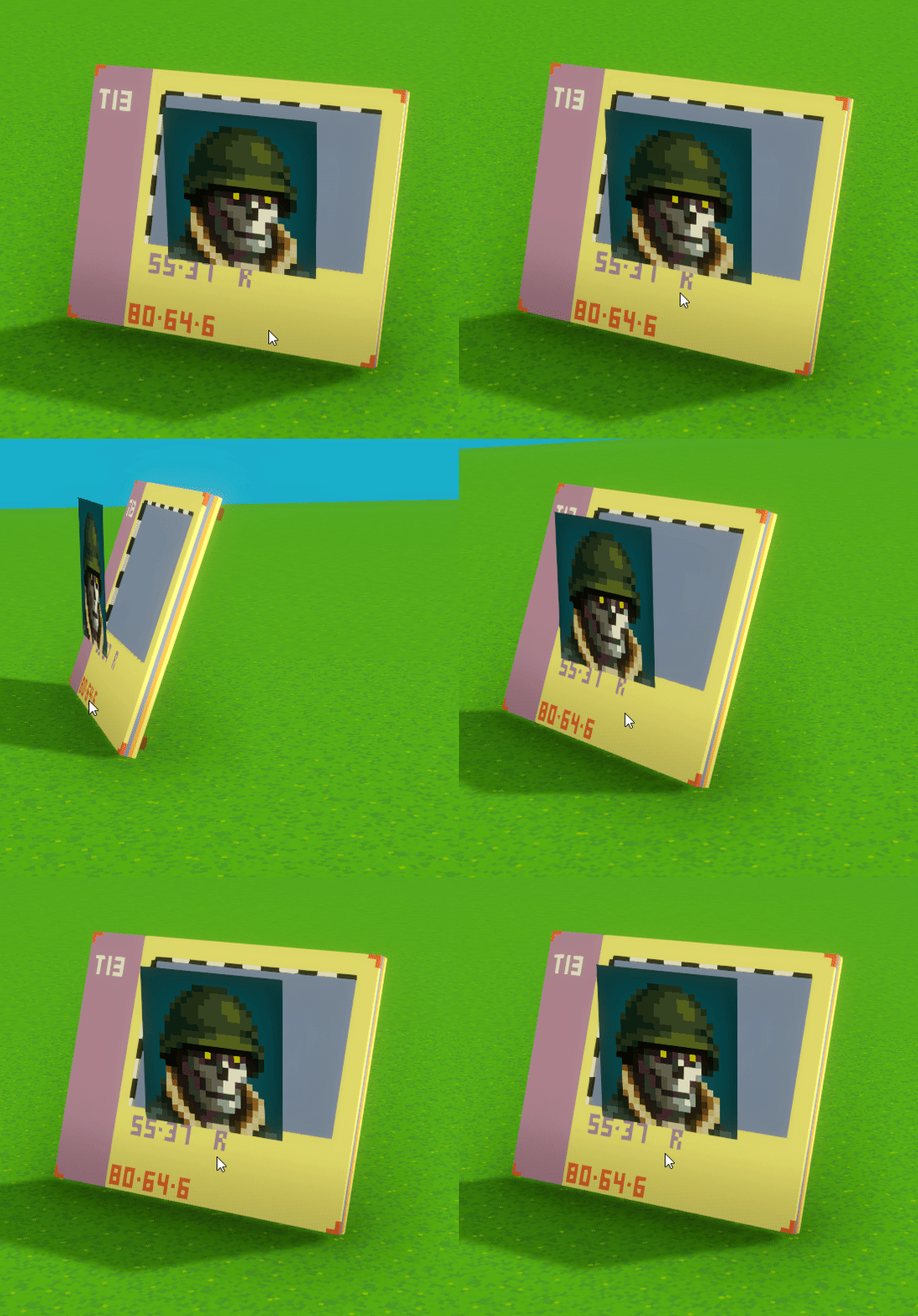
**Do NOT move or rotate the node linked to the model** with the frame area. The projection is locked at the position on the model in relation to the \[0, 0, 0] coordinate.
If you move or rotate the model, the projection area won't match in the game world.
**Examples**
* 64x64x2
* 120x40x6
#### Unanimated
**Do NOT animate the asset.** If motion is applied, the asset will not be saved as a frame asset.
#### Projection Note
**Do NOT move or rotate the node linked to the model** with the frame area. The projection is locked at the position on the model in relation to the \[0, 0, 0] coordinate.
If you move or rotate the model, the projection area won't match in the game world.
Animator view
Game Maker / Game Client view (projection misplaced)
